For CMOs

Keep every client's orders on time on shared lines

Production planning for contract manufacturers: client forecasts and firm POs, shared lines, campaigns and changeovers, and the materials each client's batches need, in one schedule you can promise from.
Book a demo
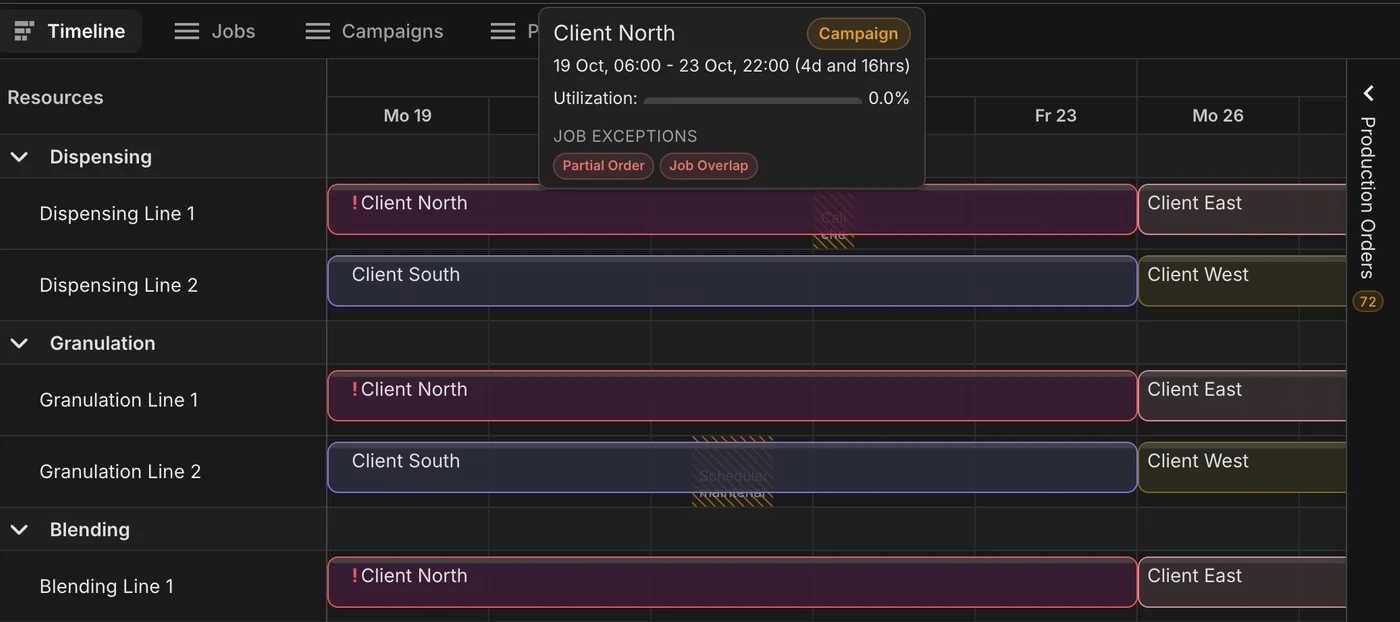
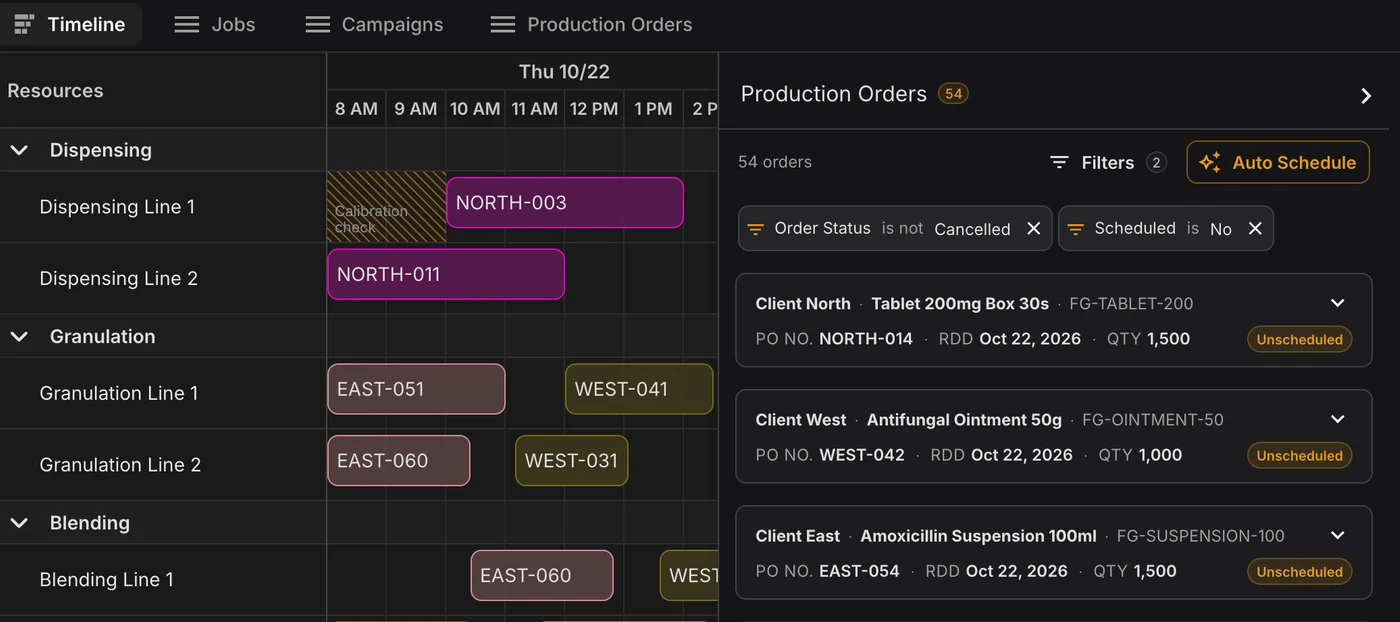
Production schedule with Client North, Client East and Client West jobs on the same dispensing, granulation and blending lines, next to a list of each client's unscheduled production orders

Every client thinks their order comes first

A CMO runs many clients' products on the same lines. One client pulls an order forward, another sends a forecast that never becomes a PO, and packaging for a third arrives late. In a spreadsheet, every change means rebuilding the week by hand, and the cost shows up as a missed delivery date.

Shared lines are where client promises collide.

A cream followed by a tablet on the same blender needs time to change over. Granulation has to start within a set window after dispensing. Every client's batches compete for the same equipment, and every switch between them costs cleaning and changeover time.

PLAIO schedules every client's orders on one Gantt, checks each job against routings, changeovers, waits, shifts and downtime, and flags the one that does not fit before it reaches the floor.

Why it matters:

On-time delivery is what your clients buy. You find the conflict at your desk on Monday, not when a client asks where their batch is.

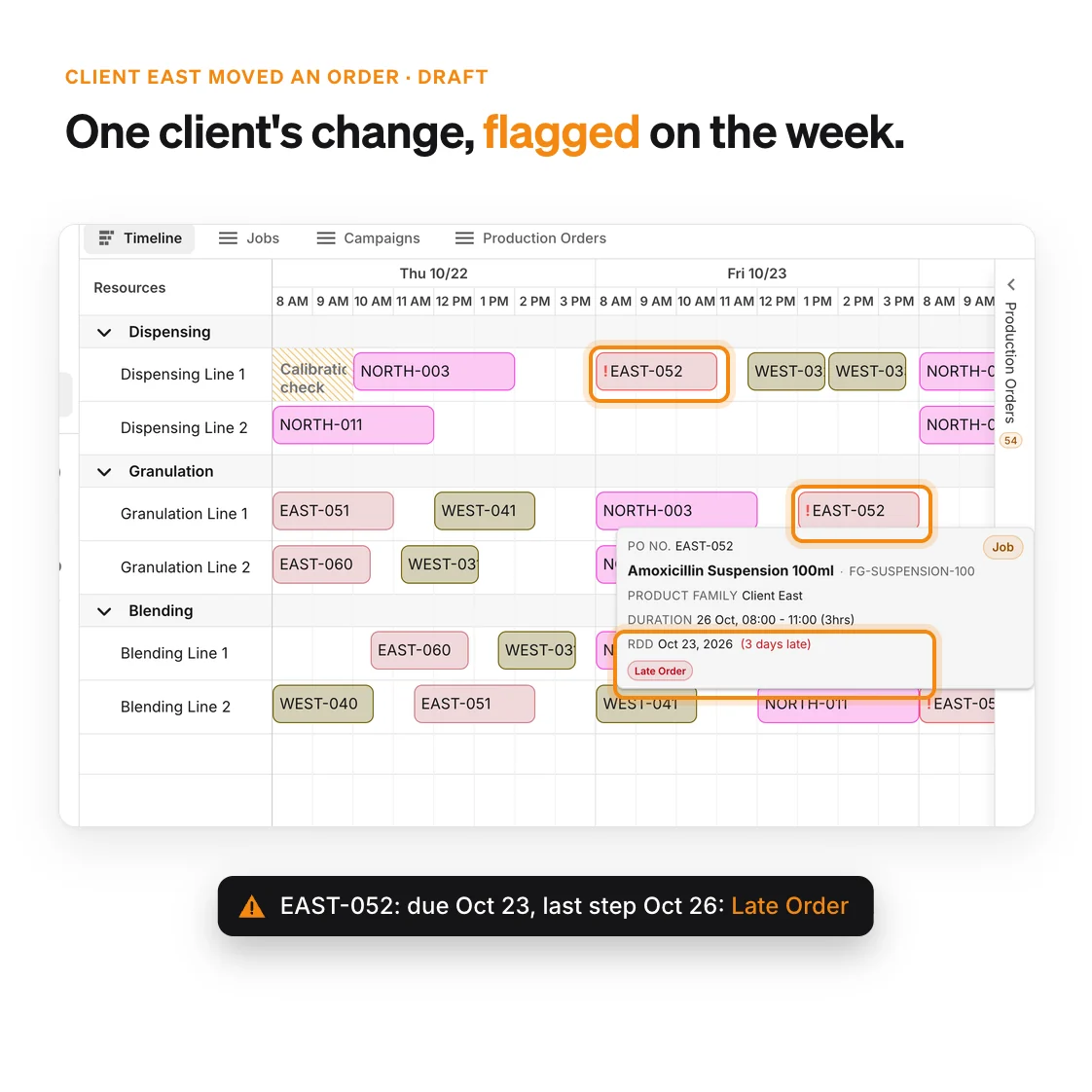
A week of jobs from three clients on shared lines, with one client's moved order flagged as a late order

What CMO planners do with PLAIO

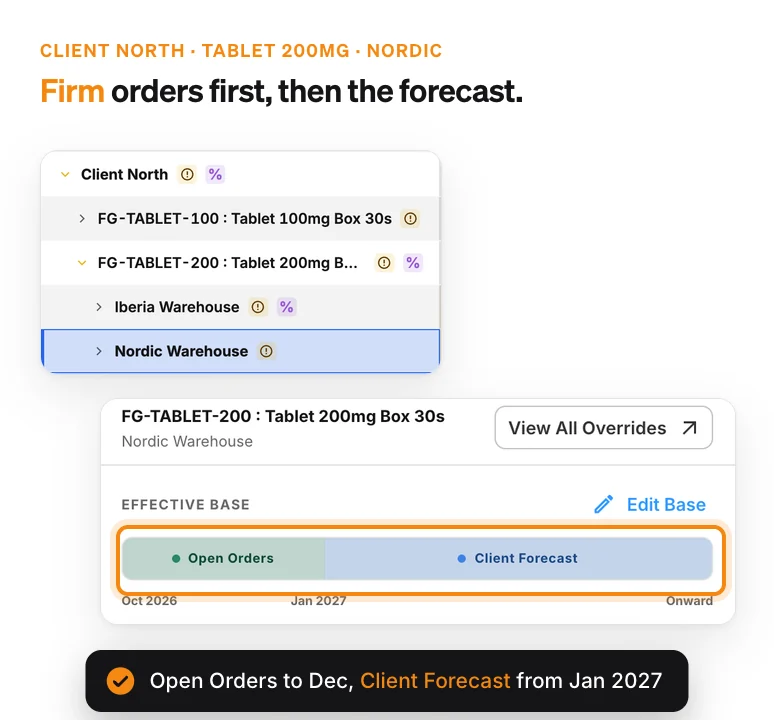
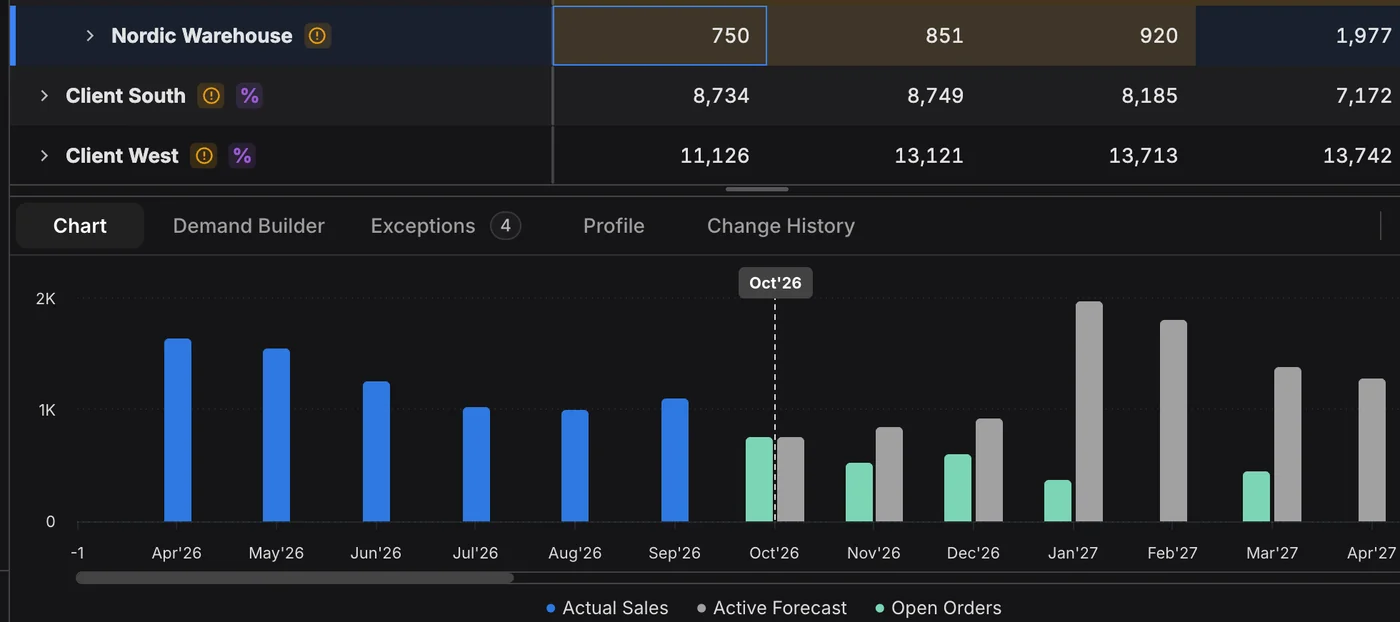
Demand plan grouped by client, with one client product planned on firm open orders for the next three months and the client's own forecast after that

Plan Client Forecasts and Firm POs

In the Demand Builder, use open orders as the base for the months a client has confirmed and their forecast after that. A customer dimension groups the plan by client, so you see how much of next quarter is already firm.

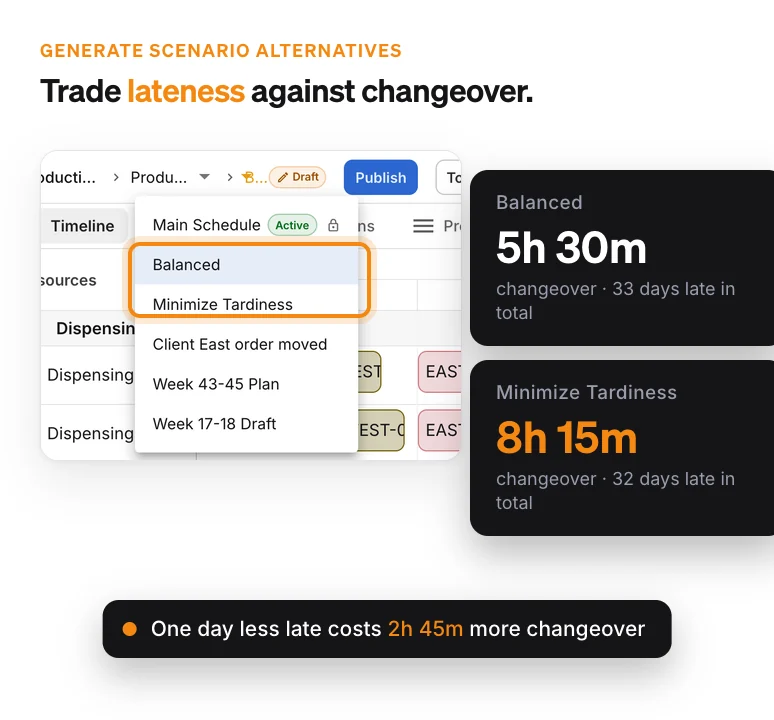
Two schedule alternatives generated by the optimizer, comparing total changeover time against total days late

Sequence Campaigns, Cut Changeovers

Changeover times are set per product sequence on each line. Generate schedule alternatives that trade late orders against changeover time, then keep the one that suits your week.

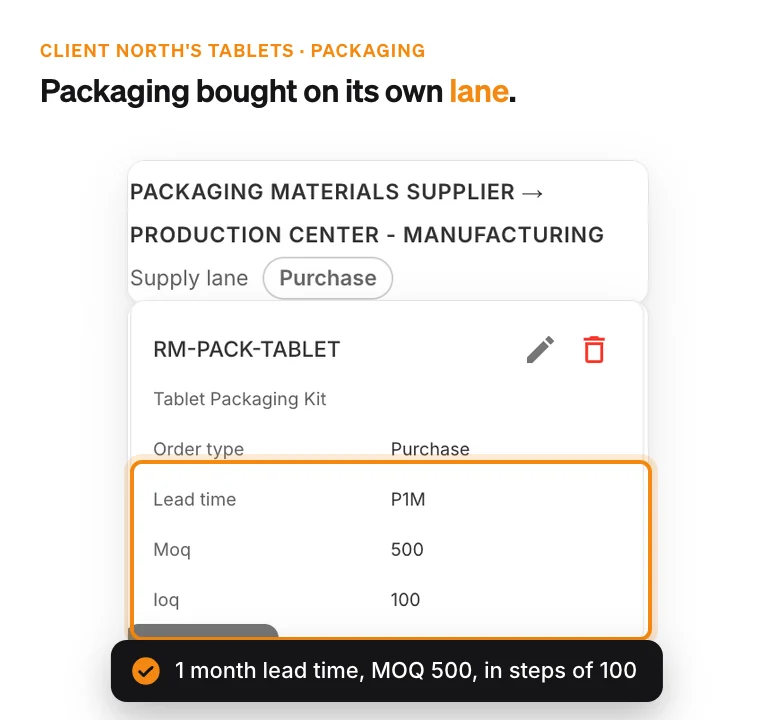
Supply lane for one client's tablet packaging, with its order type, one-month lead time, minimum order quantity and order increment

Materials and Packaging per Client

Each product's components and packaging sit in its bill of materials, bought on supply lanes with lead times and MOQs. A job is flagged when its material won't be ready in time.

How PLAIO plans a contract site

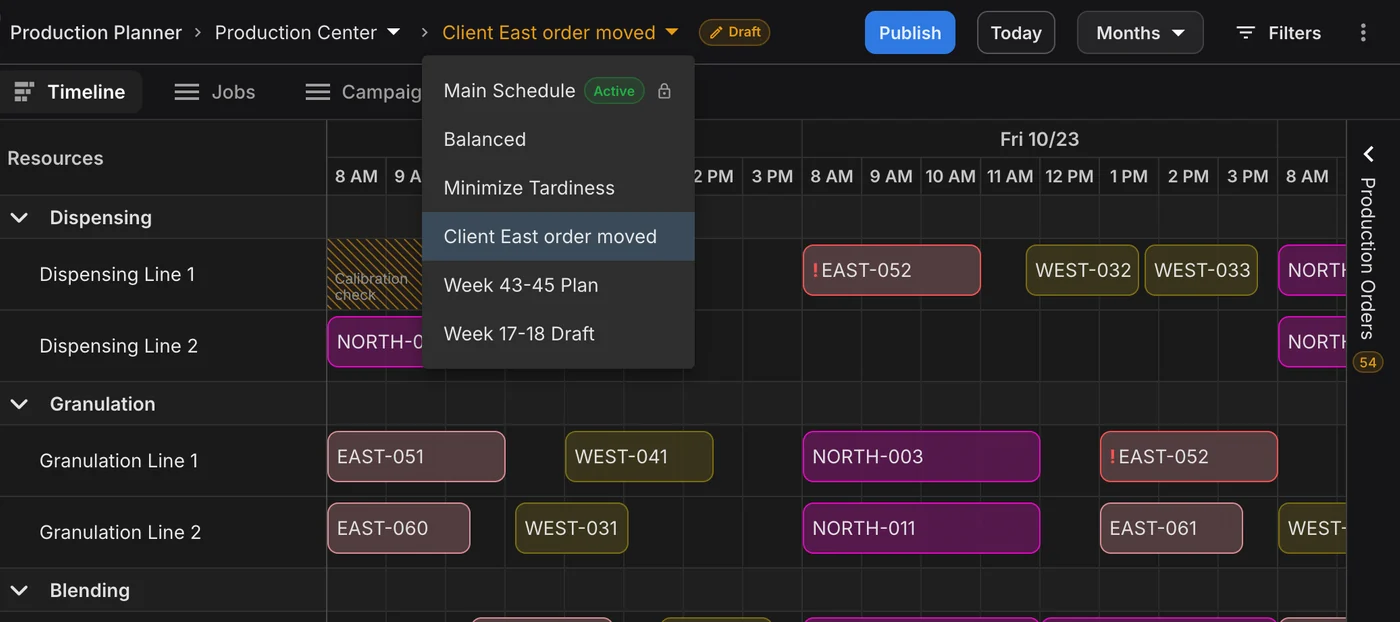
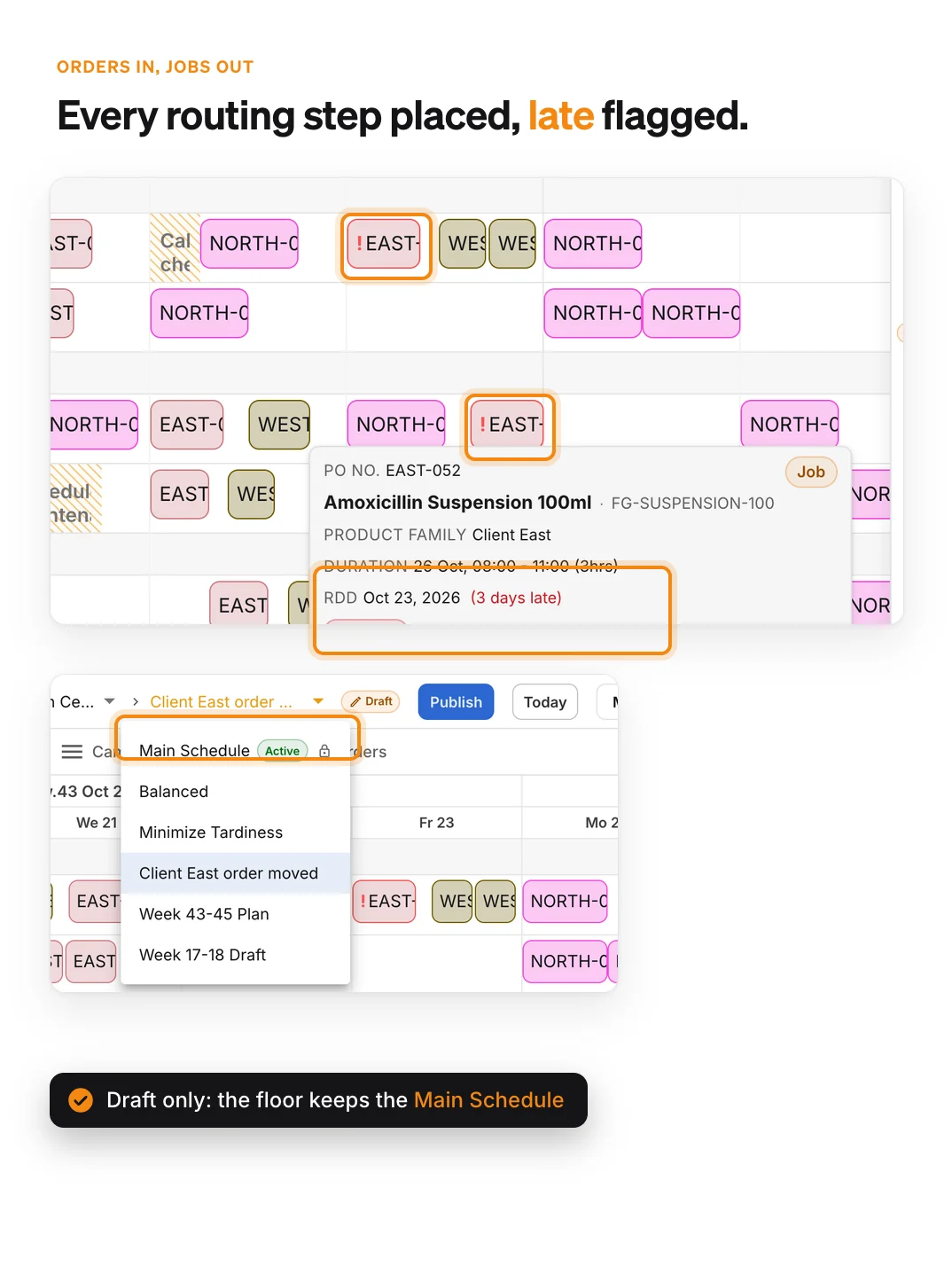
A client order's jobs placed on each routing step with its required delivery date and a late-order flag, in a draft scenario next to the published Main Schedule

Orders in, jobs out

Production orders carry an item, a quantity and a required delivery date. Scheduling one creates a job for every routing step on a specific line, and Auto Schedule places the orders you select around shifts, changeovers and downtime.

Replan in a scenario, publish when ready

When a client moves an order, drag the jobs or try the new date in a draft scenario next to the published schedule. Until you publish, the floor keeps reading the active schedule.

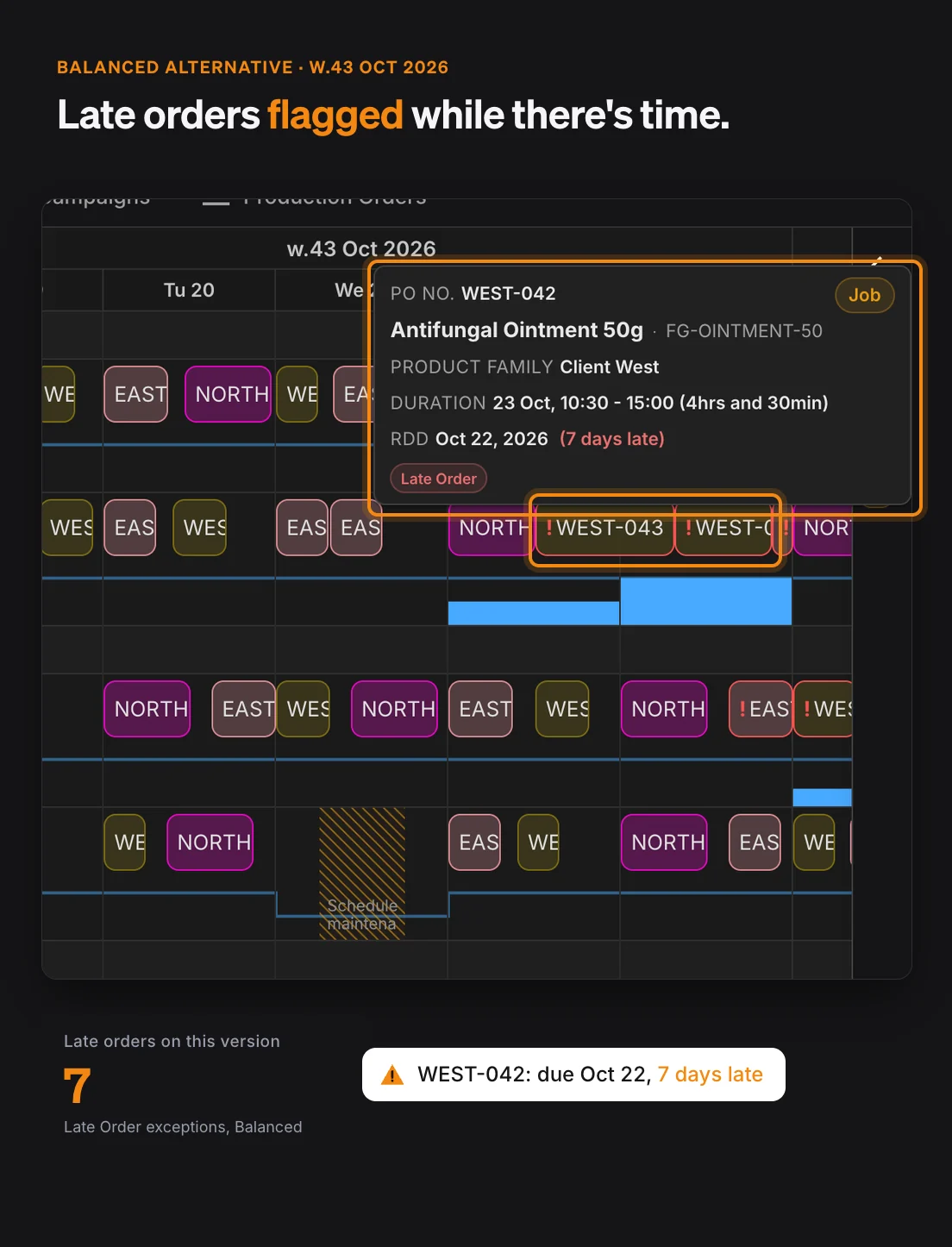
Late orders flagged before they ship late

Every schedule version is checked for late orders, overlapping jobs, wait-time violations, missing changeovers and material not ready, so you see which delivery is at risk while you can still act.

For operations and site heads

Protect delivery dates for every client

  • Late and missed orders flagged on each schedule version, before they become a missed delivery.
  • Utilization per line and a rough-cut capacity plan, so a new client or a second shift is discussed with numbers.
  • One published schedule the site works from, with client changes tested in drafts first.

Why it matters:

On-time, in-full delivery is the number your clients judge you on. Seeing late orders while the week can still be rearranged is how you protect it.

Production schedule version with late orders flagged on shared lines and the load per line shown under each line

CMO Planning FAQ

Yes. Every client's production orders are scheduled on one Gantt across your stages and lines, each following its own routing, with setup, run and cleaning times per line and changeovers that depend on what ran before.

In the Demand Builder you choose the base for each stretch of the horizon, so open orders can cover the months a client has confirmed and their forecast the months after. A customer dimension lets you group the plan, and its accuracy, by client.

Drag the affected jobs to another line in the same stage or another time, and the checks run again. To compare options first, work in a draft scenario: the floor keeps working from the published schedule until you publish.

Yes, with Reservations, an optional module. You block time on a line for a product family, for example one client's products, and Auto Schedule places matching orders into those blocks. PLAIO flags a reservation that is over-utilized or overlaps another.

Yes, for the materials you buy. Components and packaging sit in each product's bill of materials and come in on supply lanes with lead time, MOQ and order increment. When the plan allocates components to an order, PLAIO flags a job whose material is not ready by the step that needs it.

No. PLAIO plans and your ERP executes. Orders, stock and master data come in through the Integration API or from uploads, approved supply orders go back to the ERP, and posting and financial control stay where they are today.

Keep every client on schedule

We will show you a week of client orders on shared lines in PLAIO, with changeovers, waits, downtime and materials checked.

Book a demo

Connect the Dots Across Your Planning Process

Keep production on schedule.

Align supply with optimized, line-level schedules using Production Scheduling Software

Production

Start with smarter forecasting.

Build better supply plans with accurate, AI-powered Demand Planning Software

Demand

Cookie settings

To enhance your experience on our site and to analyze traffic, we use cookies. By clicking "Accept All," you agree to the storing of cookies on your device for analytics purposes. You can manage your settings or learn more in our Privacy Policy.

Manage Settings
  • Your Privacy Matters to Us

    We use cookies to improve your browsing experience and analyze how our website is used. These cookies allow us to understand trends, monitor website traffic, and gather insights to make the site better for you.

    We respect your privacy and are committed to transparent data usage.

    Why Do We Use Cookies?

    Necessary Cookies: These ensure that the website functions properly.

    Analytics Cookies: These help us track site traffic, user behavior, and performance metrics. The data collected is anonymous and allows us to continuously optimize the site.

    Preferences Cookies: We may use cookies to remember your preferences and tailor your experience.

    Marketing Cookies: We may use cookies for marketing purposes.

    Your Control, Your Choice

    By clicking "Accept All," you consent to the use of all cookies. If you prefer, you can customize your choices and opt out of certain cookies. You can learn more about how we handle data and cookies in our Privacy Policy.