PLAIO builds the week around changeovers, cleaning, shifts and downtime, then replans it when something breaks. Your ERP has the orders. It has no idea what the blender can do on Tuesday.
54 orders and six lines to fill this week
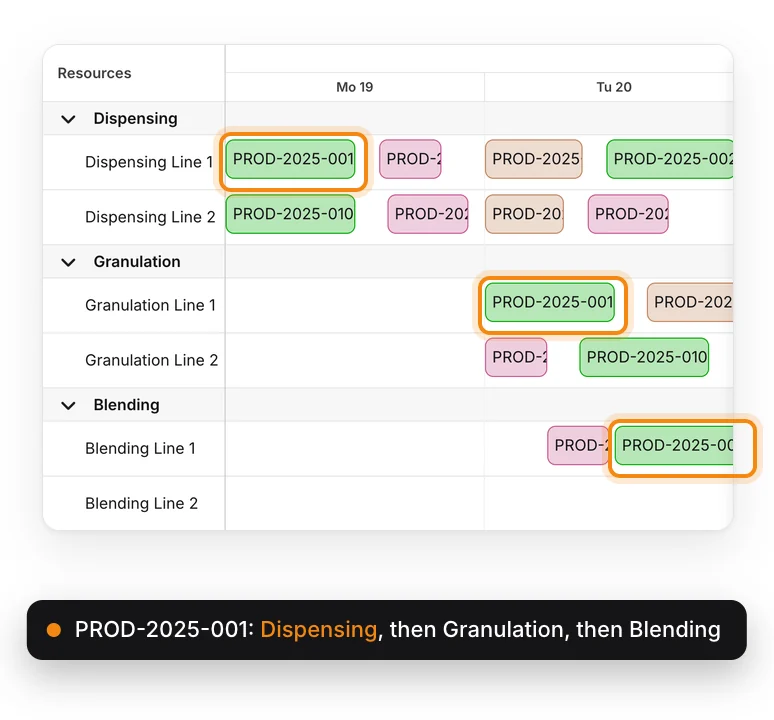
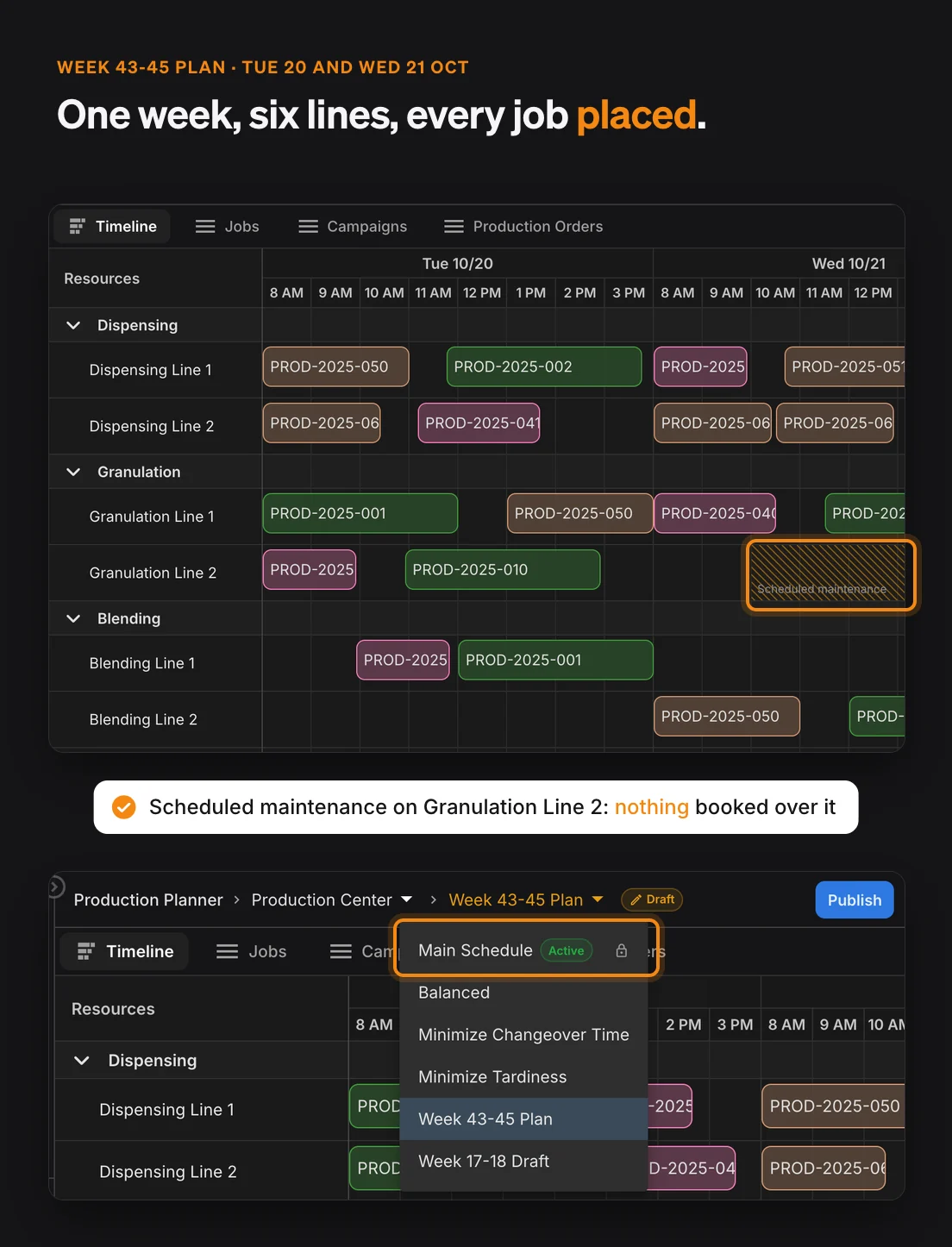
Tablets, creams and syrups are queued for dispensing, granulation and blending. Each one has its own routing.
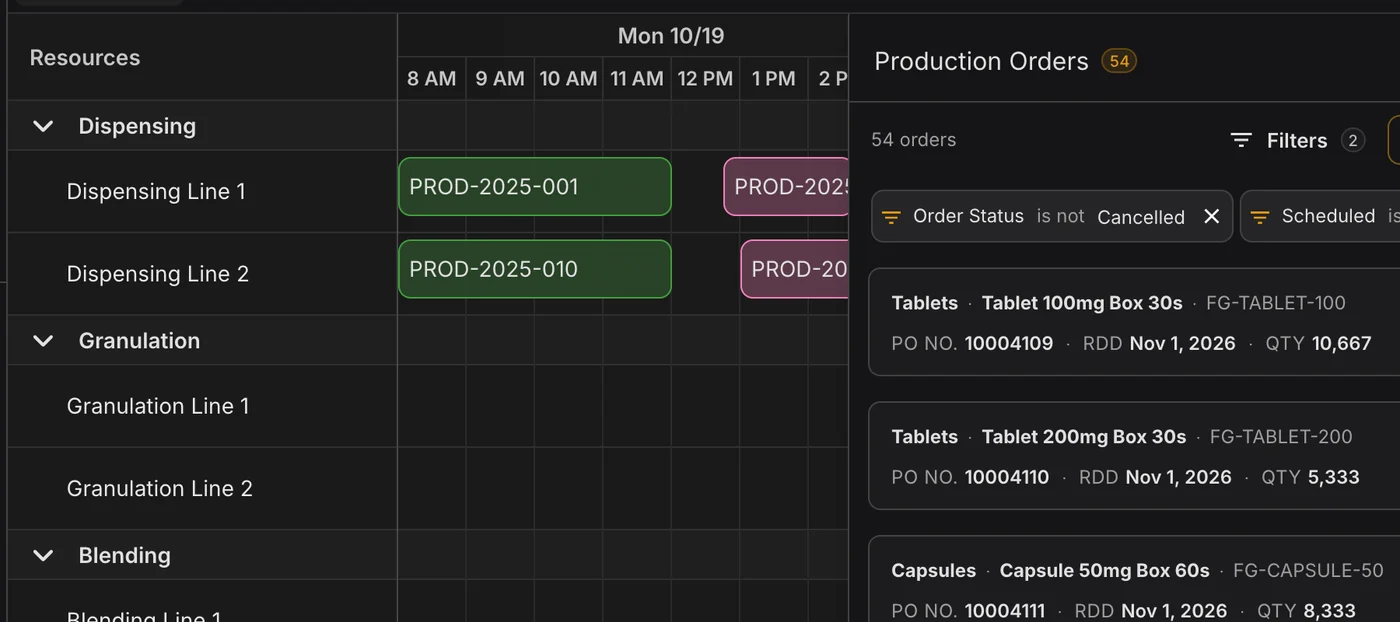
In many plants the schedule is a spreadsheet or a whiteboard, and one person knows how to change it. A rush order arrives and that person rebuilds the week by hand, hoping nothing downstream breaks. PLAIO is for pharma companies scheduling their own plants and for contract manufacturers (CDMOs) running lines for clients.
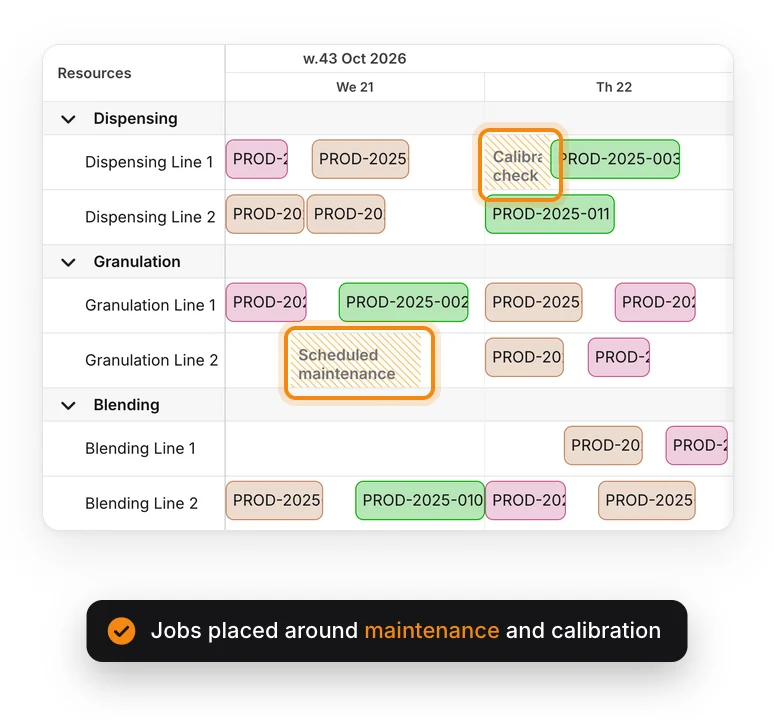
Put a cream before a tablet on the same blender and you need changeover time. Granulation must start within a set window after dispensing. On Thursday morning a calibration check takes a line out. None of these rules is hard on its own.
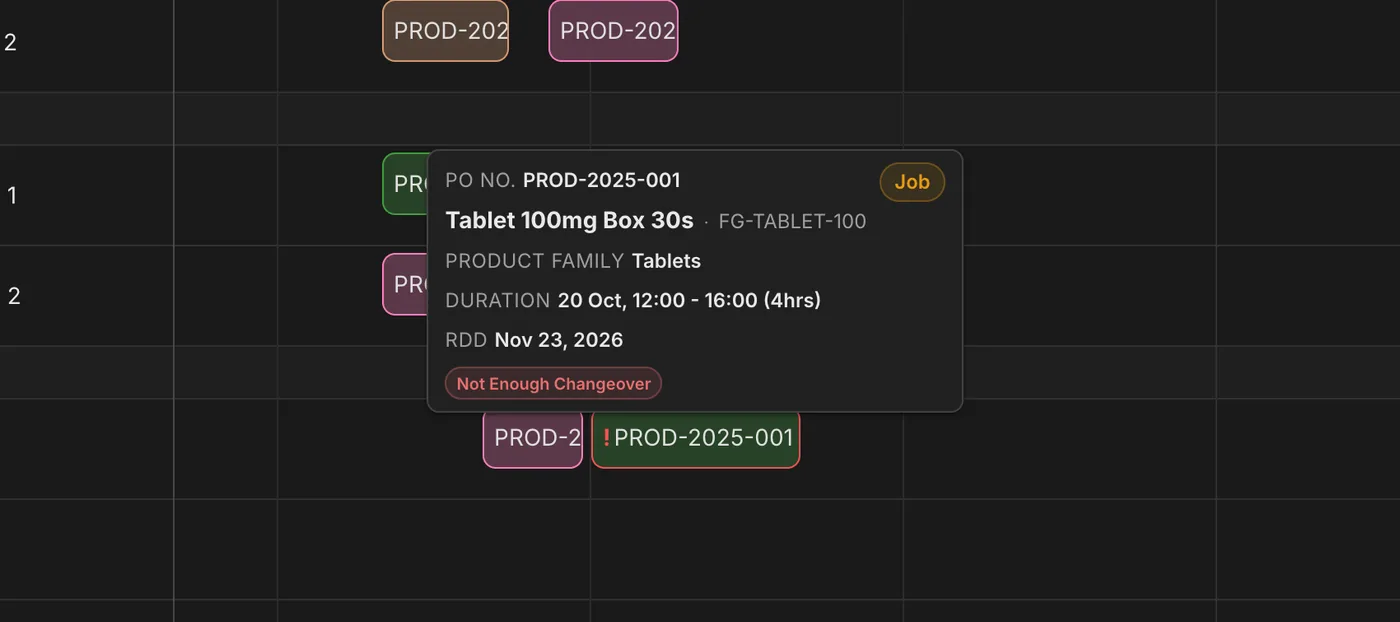
Multiply them across six lines and a week of orders and nobody can check them by eye. PLAIO checks every job and flags the one that won't fit, with the line and the day it clashes on.
A conflict found at a desk on Monday costs a few minutes. Found on the shop floor on Tuesday, it can cost a batch or a delivery date.
Every product takes its own route through your stages and lines. Setup, run and cleaning times are set per line, changeovers depend on what ran before, and each step can have a minimum and maximum wait.
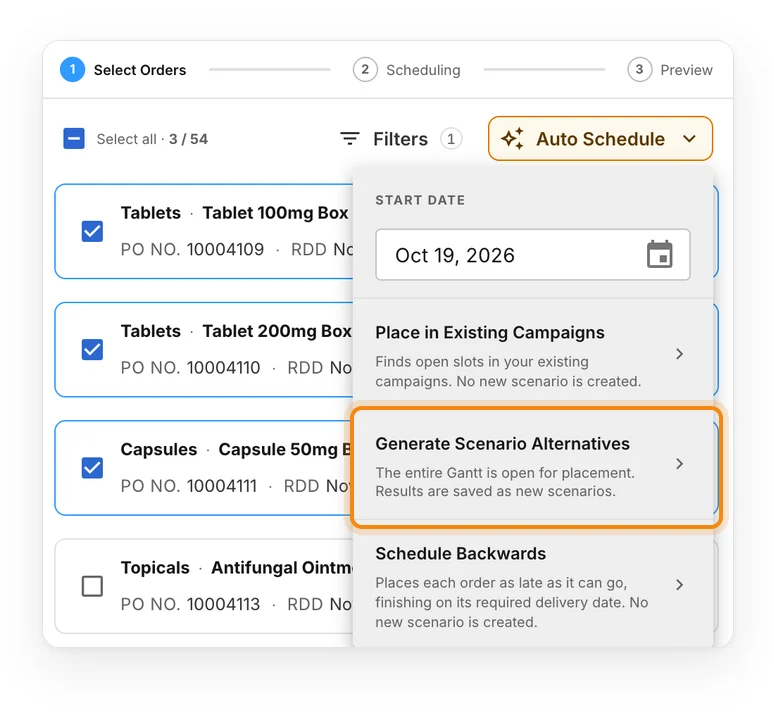
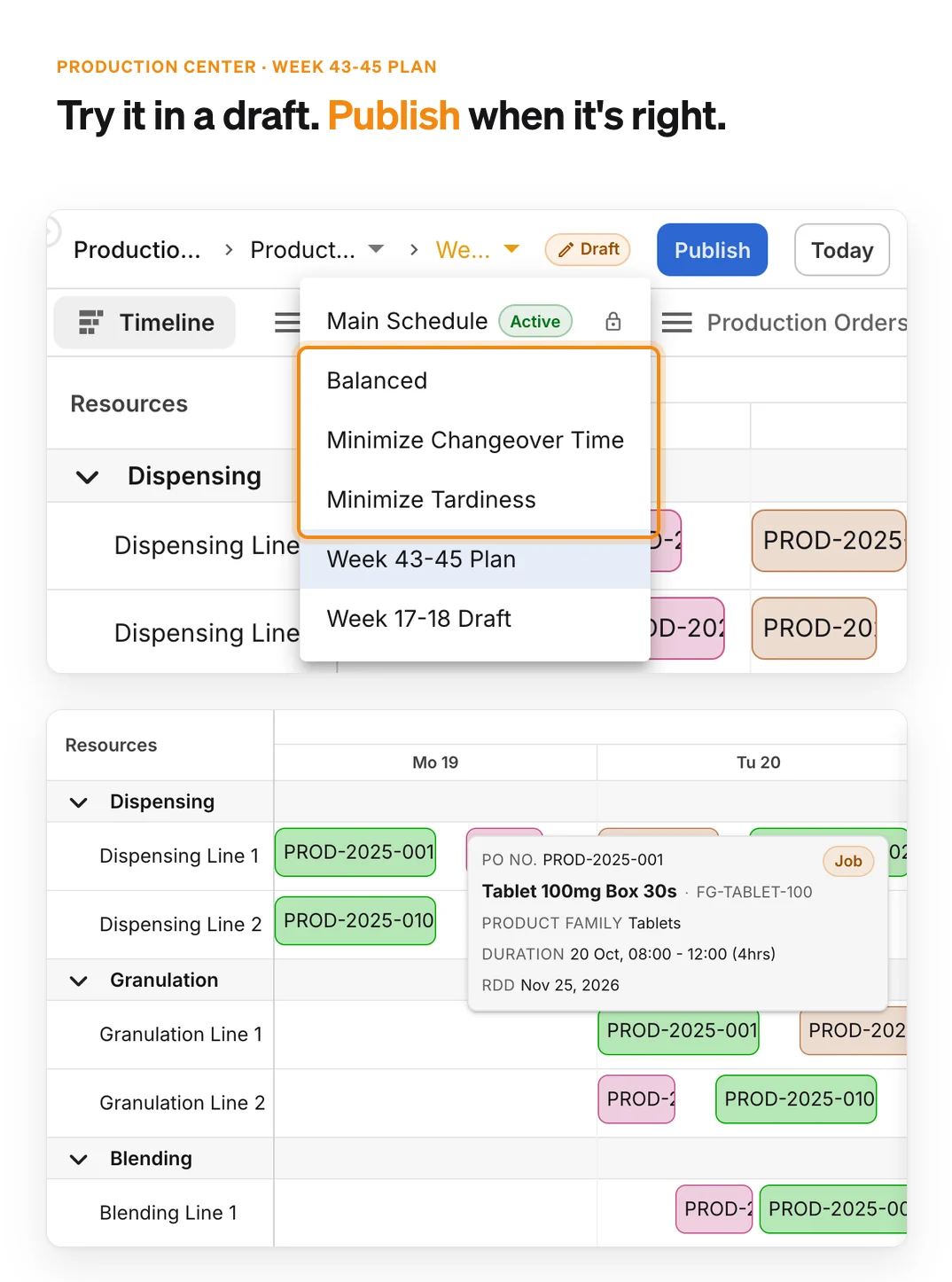
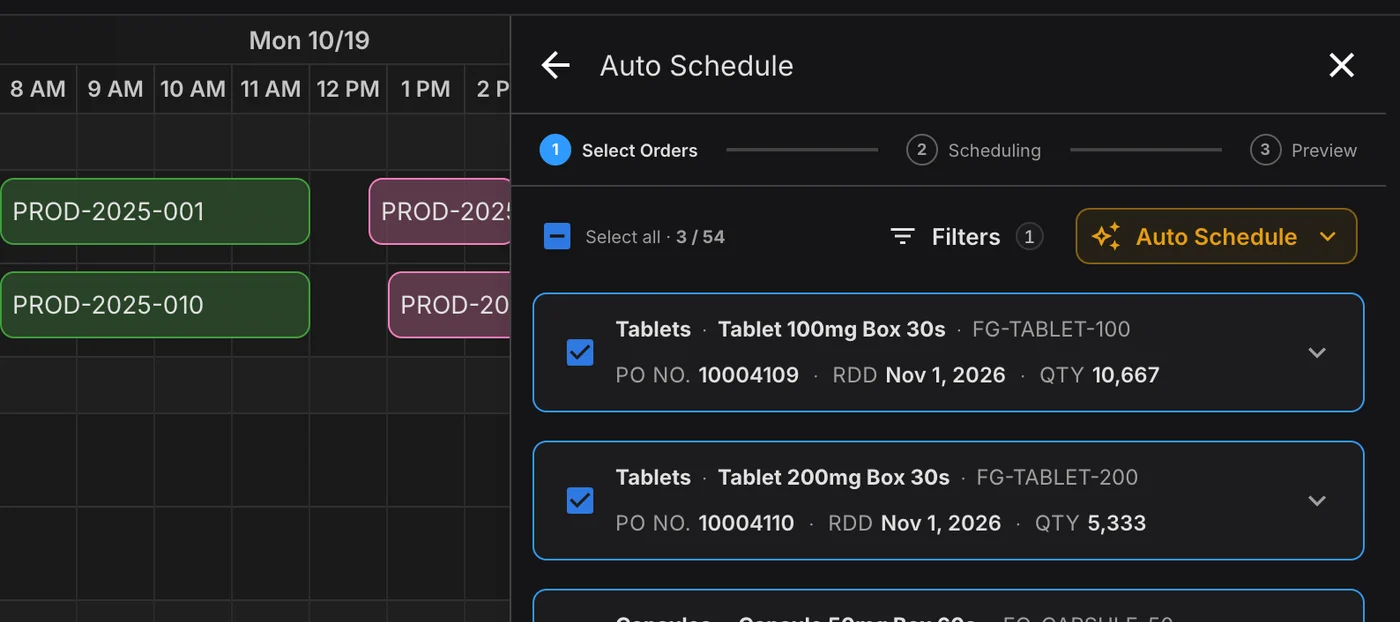
Pick some production orders and PLAIO places them. Want options? Generate scenario alternatives that trade late orders against changeover time, and keep whichever suits the week.
Add the downtime and PLAIO can smart reschedule the affected orders around it. Shift patterns, planned maintenance and calibration checks make up the calendar underneath every schedule.
Production orders come from the supply plan, each with an item, a quantity and a required delivery date. Schedule one and you get a job per routing step, on a named line with a start and stop time. Drag a job to another line in the same stage, or to a different time, and the checks rerun.
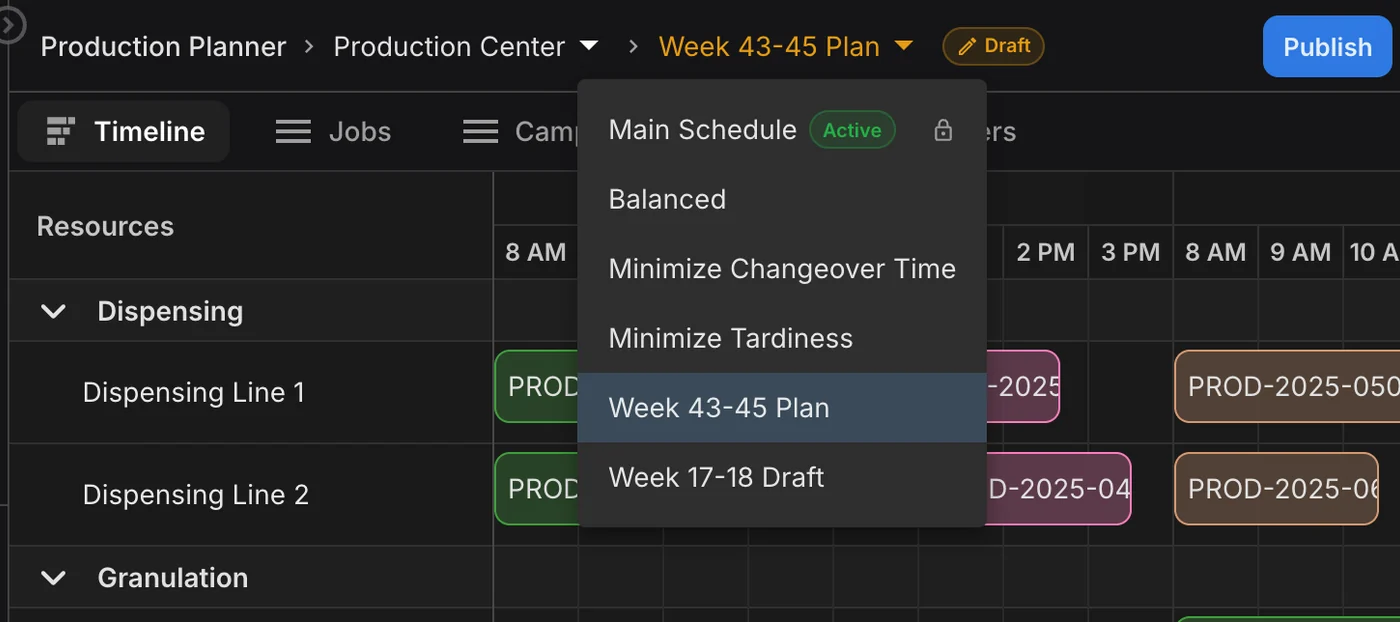
Try the rush order or the slipped batch in a draft scenario next to the published schedule, then publish the version you want. Until then everyone reads the active schedule. Published schedules are never edited in place.
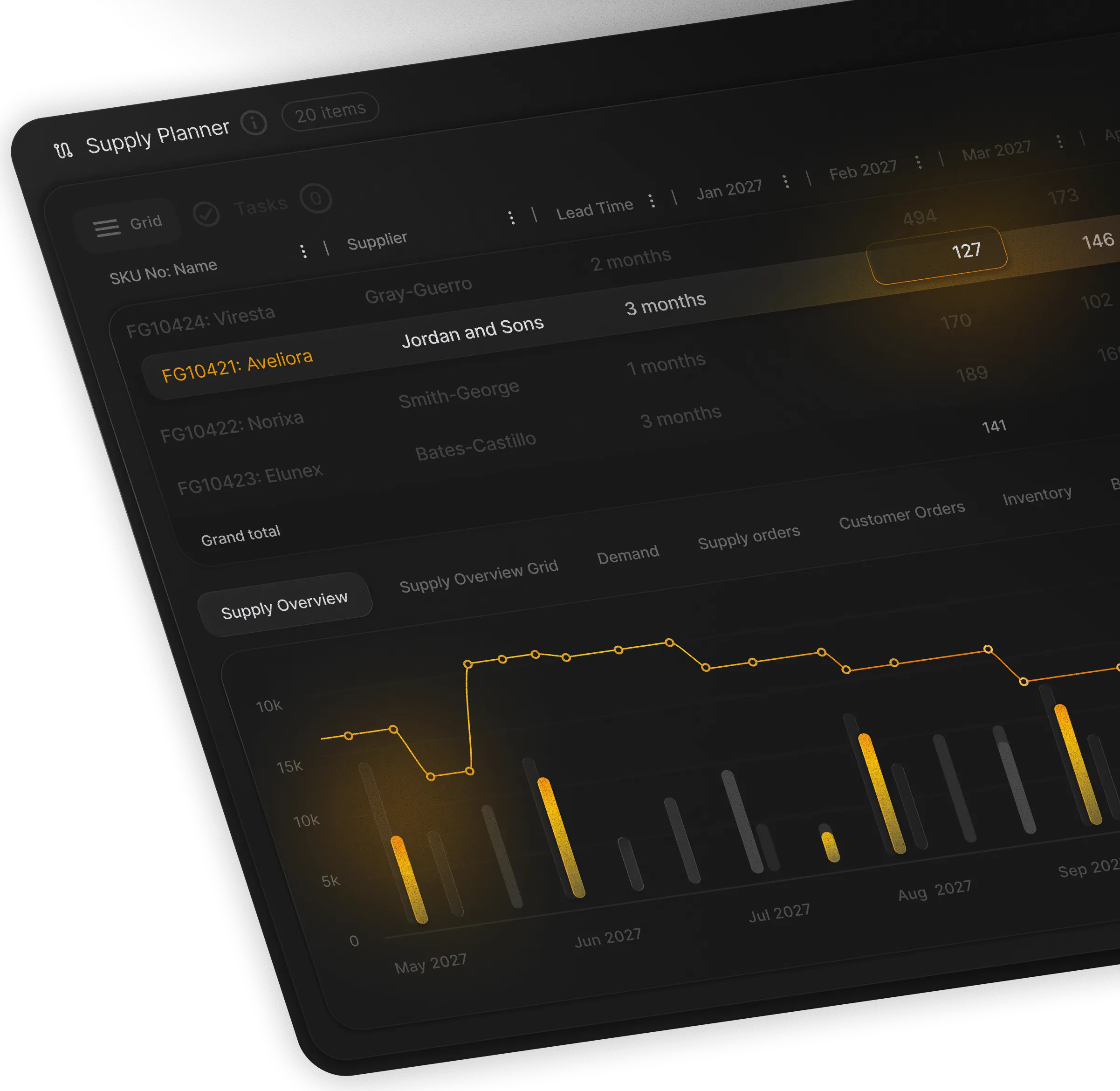
Utilization per line compares scheduled hours with the capacity left after shifts and downtime. For the months ahead, the rough-cut Capacity Plan spreads forecast demand across each resource, so a bottleneck shows up while you can still do something about it.
One slipped batch puts the week at risk. PLAIO shows which orders it pushes late, on which line, and why.
To enhance your experience on our site and to analyze traffic, we use cookies. By clicking "Accept All," you agree to the storing of cookies on your device for analytics purposes. You can manage your settings or learn more in our Privacy Policy.
Manage SettingsWe use cookies to improve your browsing experience and analyze how our website is used. These cookies allow us to understand trends, monitor website traffic, and gather insights to make the site better for you.
We respect your privacy and are committed to transparent data usage.
Necessary Cookies: These ensure that the website functions properly.
Analytics Cookies: These help us track site traffic, user behavior, and performance metrics. The data collected is anonymous and allows us to continuously optimize the site.
Preferences Cookies: We may use cookies to remember your preferences and tailor your experience.
Marketing Cookies: We may use cookies for marketing purposes.
By clicking "Accept All," you consent to the use of all cookies. If you prefer, you can customize your choices and opt out of certain cookies. You can learn more about how we handle data and cookies in our Privacy Policy.