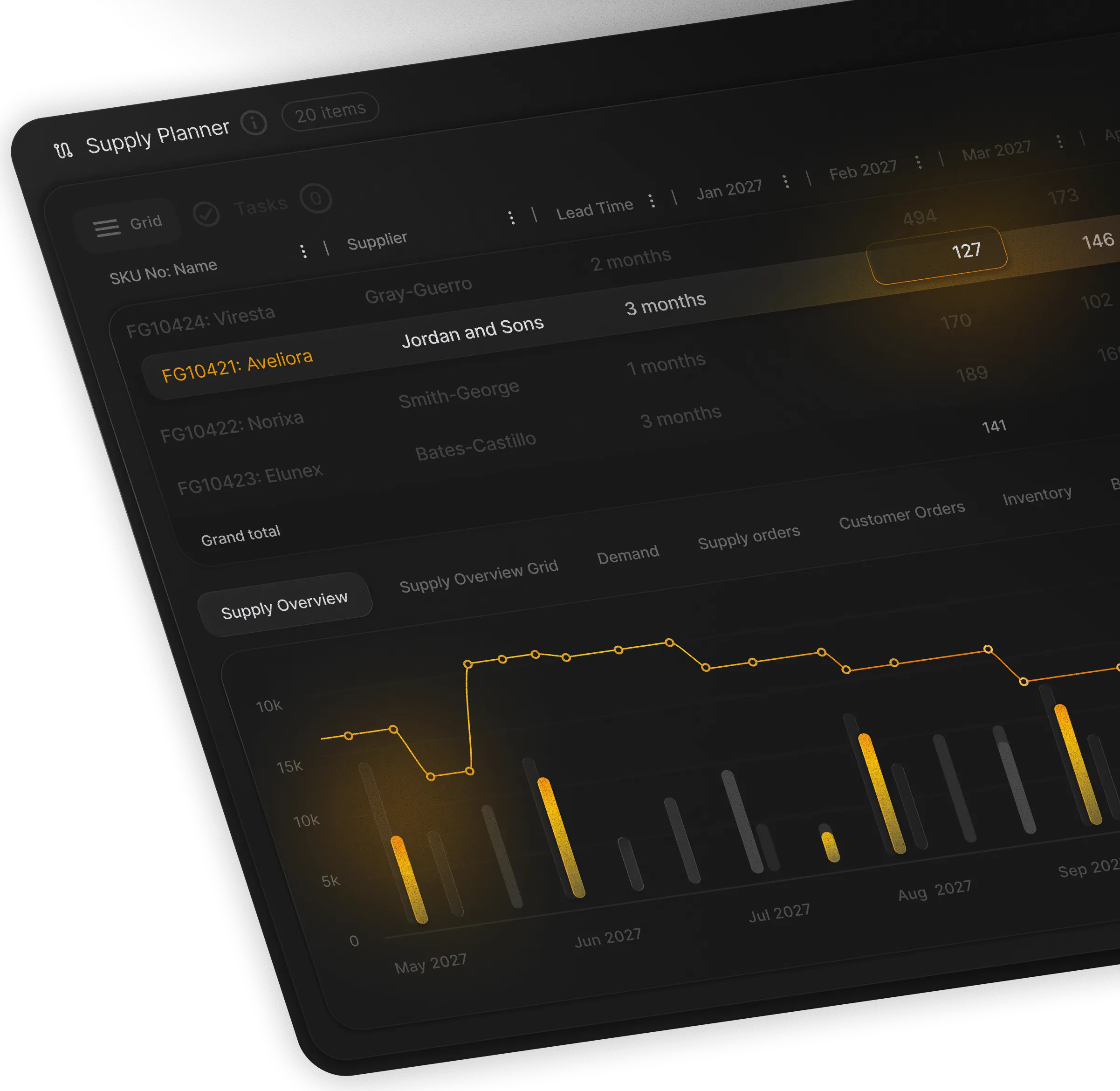
You can start planning before your ERP project is finished. Begin with one module and the files your team already keeps.
Use the files you already keep
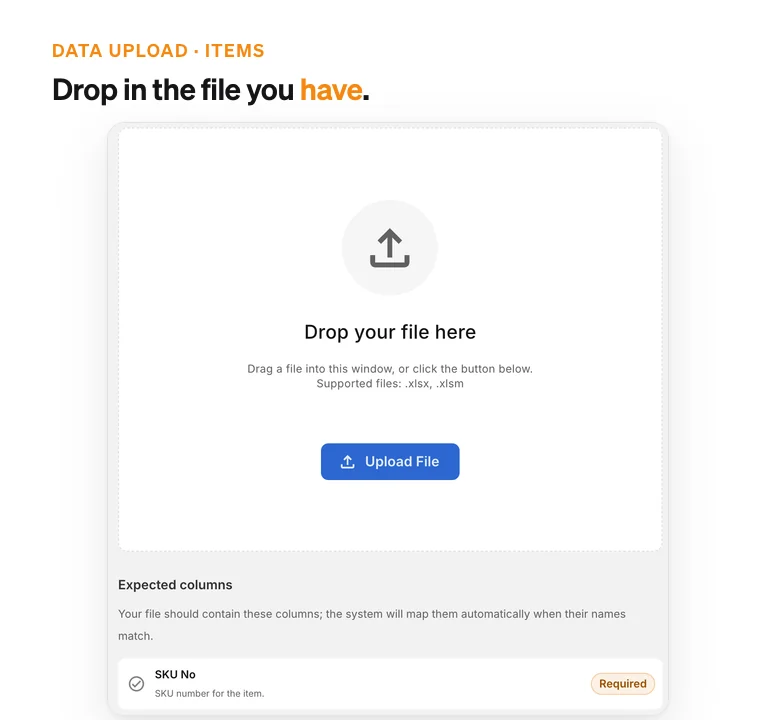
Items, Item Types, BOMs and Locations each accept the file your team maintains today.
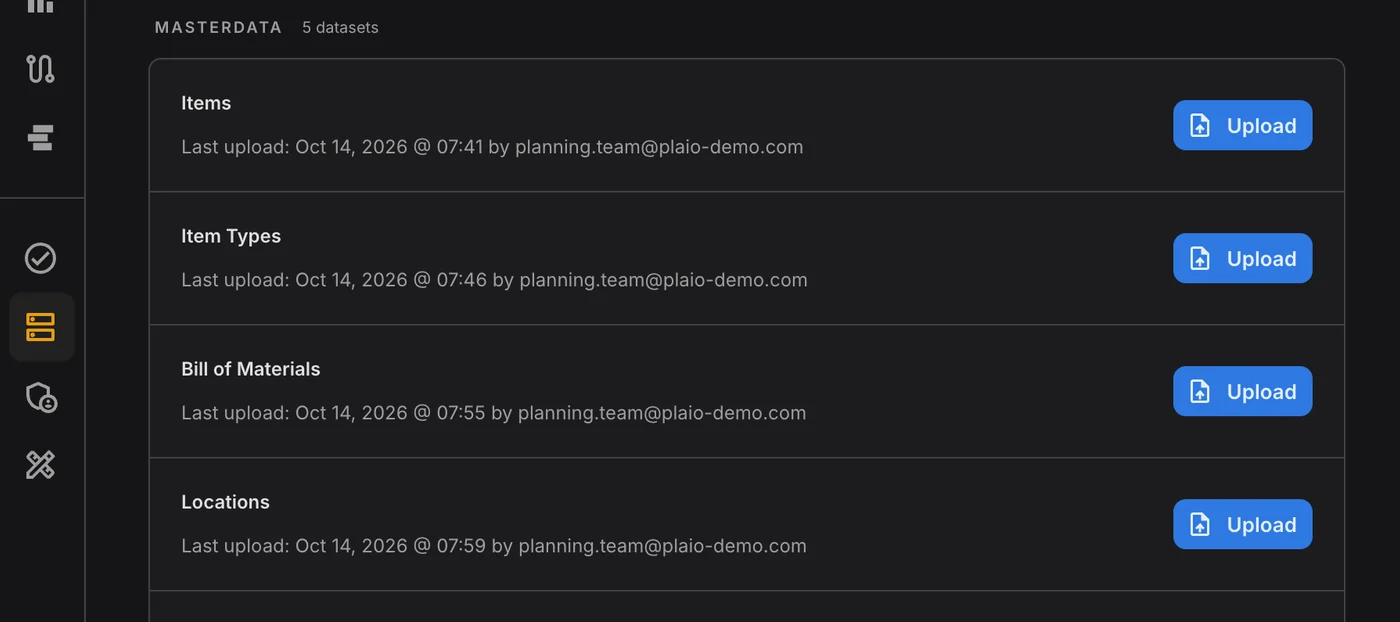
PLAIO's onboarding is different. Plan with your real data, starting from the spreadsheets your team already keeps, one module at a time. We've made data migration painless with templates and guided configuration that doesn't require heavy customization.
Usually the data has to be cleaned, reshaped into the vendor's template and queued with IT before the new tool shows a single SKU. It can drag on, and by then the team has drifted back to its old spreadsheets.
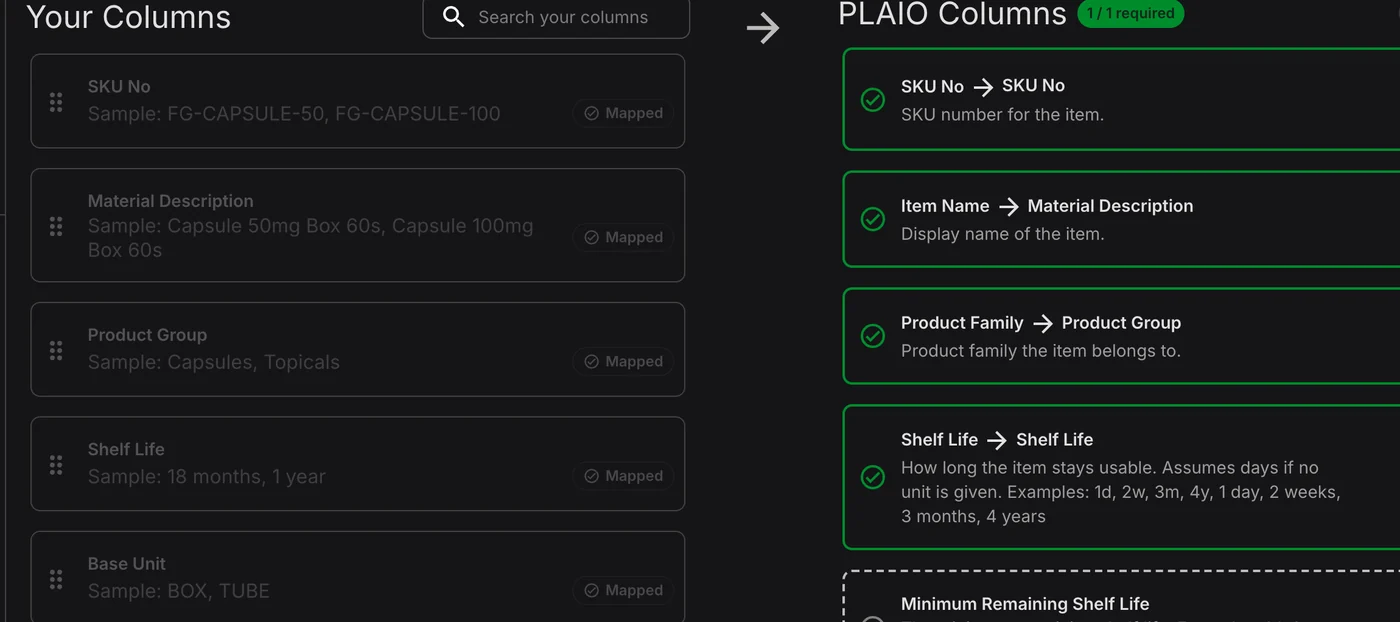
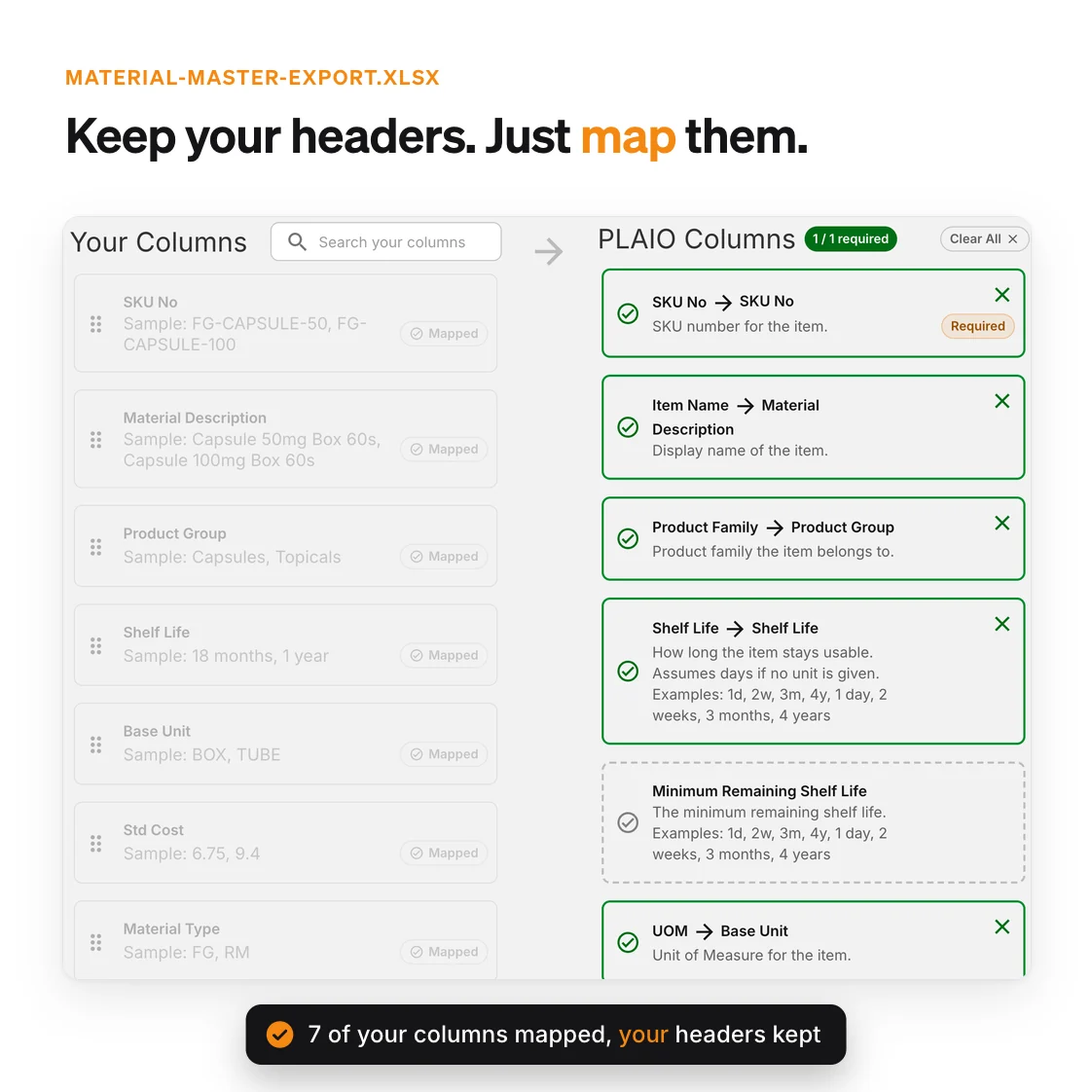
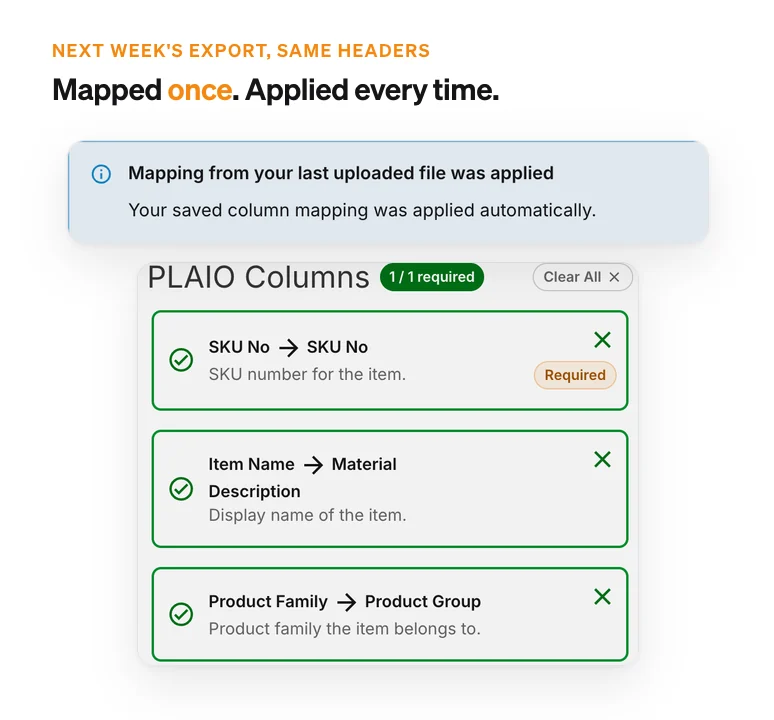
In PLAIO you upload the export you already have and keep your own headers. Drag each column onto the PLAIO column it feeds. Anything the plan doesn't use, a plant code for example, can stay out.
Your planners know the data best, so they do the setup. The first plan reflects how they work, and IT doesn't have to fit the rollout into its backlog.
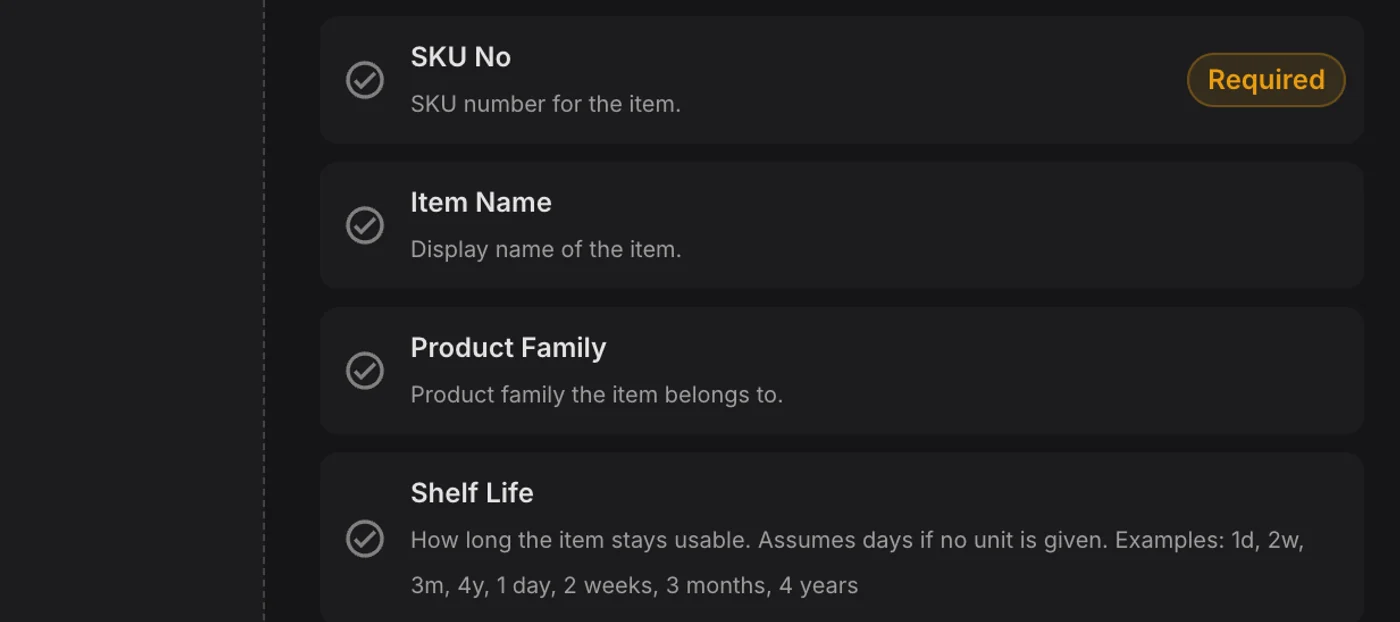
Directly import your current spreadsheets without losing their structure. Map columns, drop in your data, and start planning without manual rework. Each dataset lists the columns it expects, with examples, and marks the ones that are required.
Upload a file with the same headers next week and PLAIO reuses the last mapping. The weekly refresh is then a quick upload and a check.
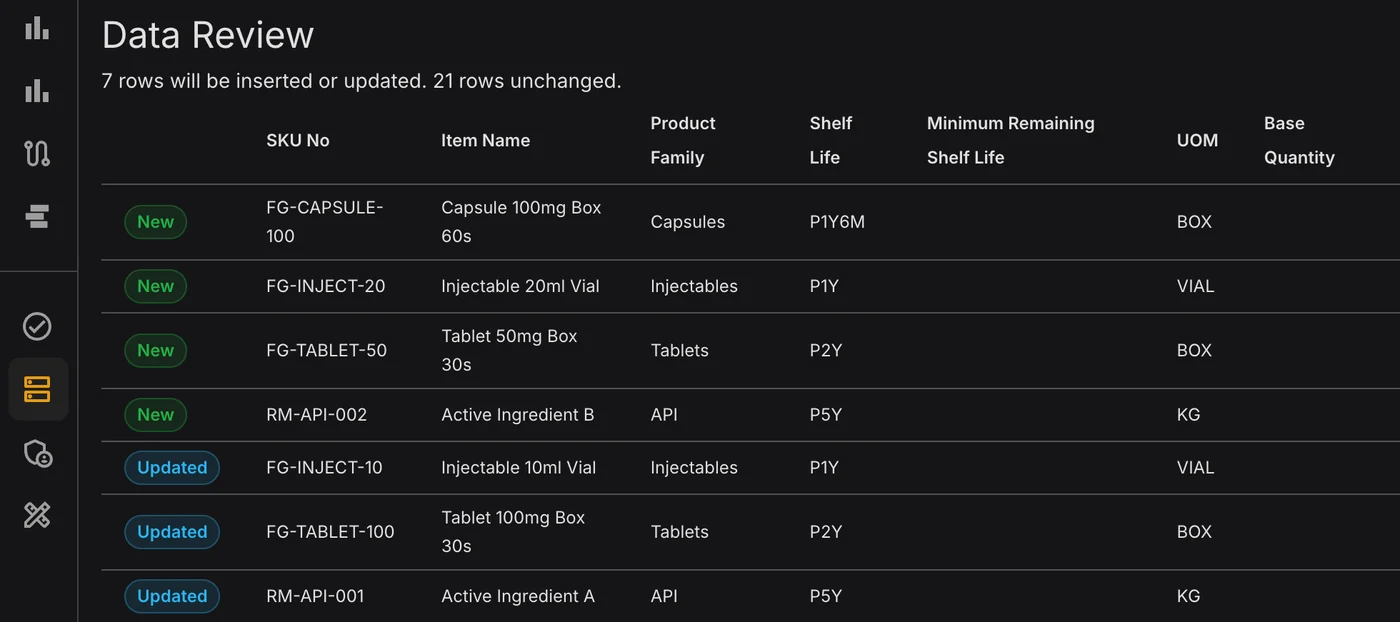
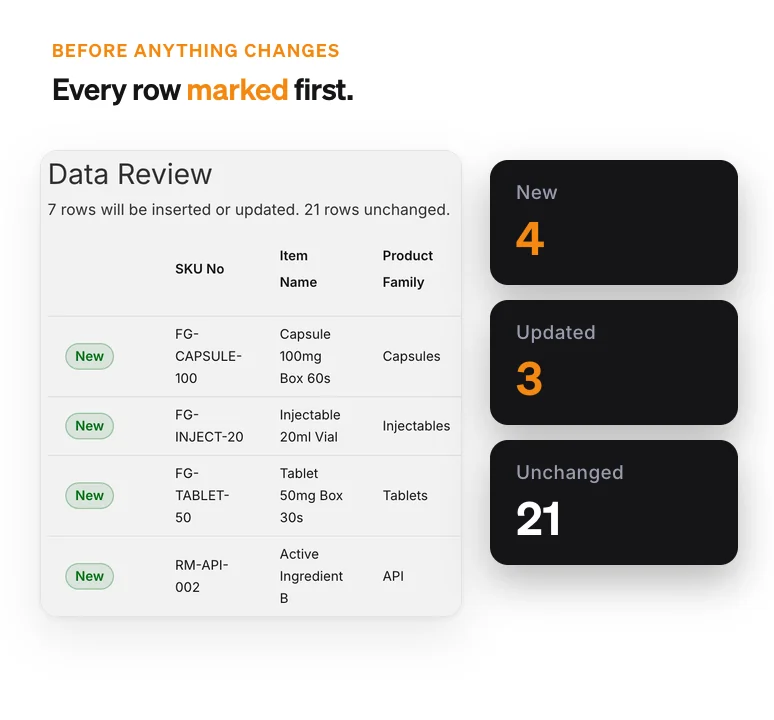
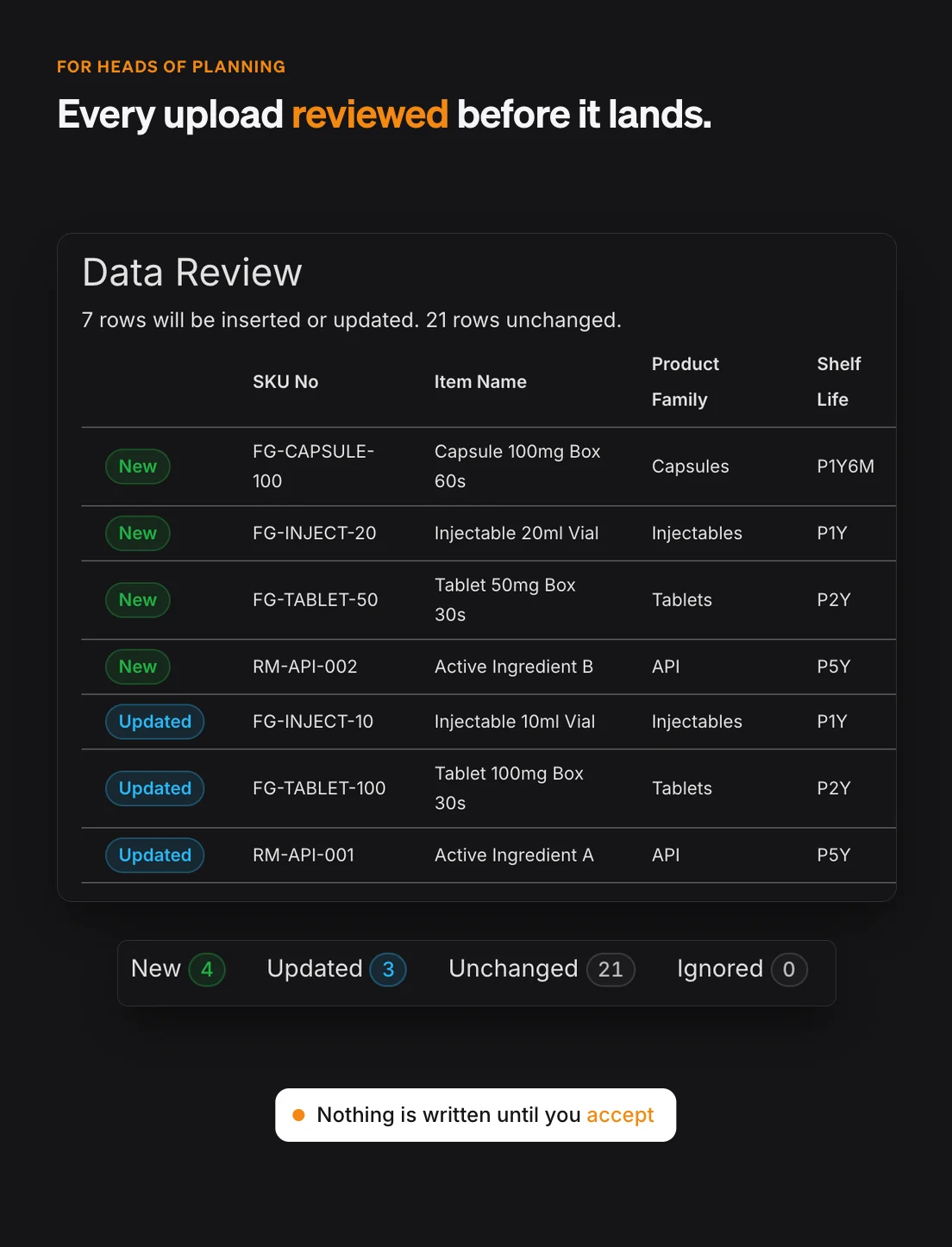
Validate results and start planning with real data. Before anything is written, the review shows which rows are new, updated or unchanged. Business users control the mapping, reducing reliance on long IT handoffs or custom development.
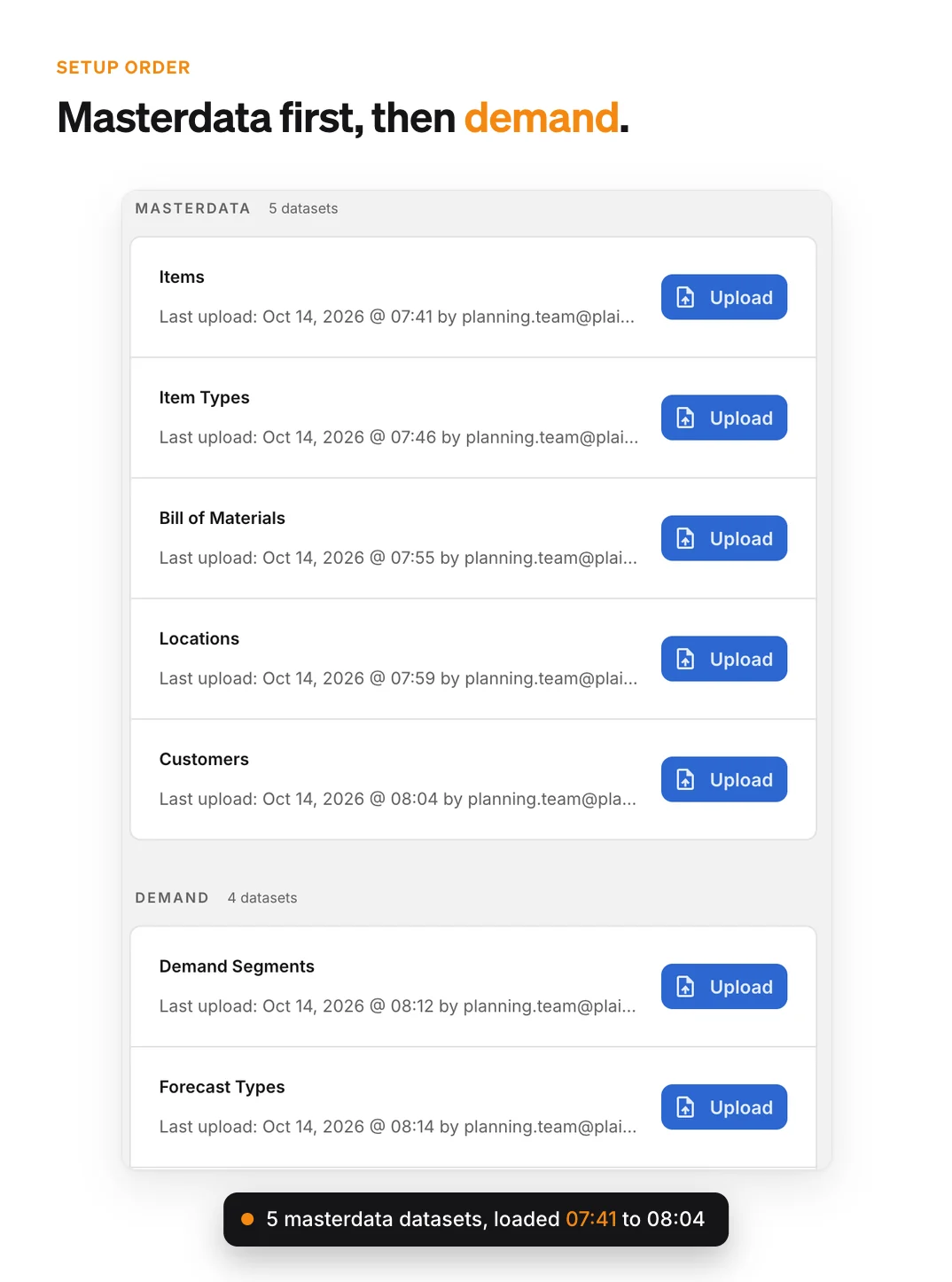
Master data goes in first, in the format you already use: items, item types, locations, customers and bills of materials. Everything else refers to them. If a BOM line points at an item PLAIO doesn't have yet, the import stops and lists the missing IDs. You never end up with half a recipe.
Demand, supply and production come in one module at a time. Forecasts and sales orders can keep the layout planners like, a row per item and a column per month, using a template from the dataset. Policies, supplier constraints and shop floors go through the same upload and review.
Integrations, additional data sources, and advanced configuration can be added progressively as your planning maturity grows. When IT is ready, the same data can be fed from your ERP through PLAIO's Integration API, matched on the same SKU numbers, so the setup you built on spreadsheets carries over.
You can see how far the rollout has come and whose data is in the plan. That makes it easier to back the first S&OP meeting run on PLAIO.
To enhance your experience on our site and to analyze traffic, we use cookies. By clicking "Accept All," you agree to the storing of cookies on your device for analytics purposes. You can manage your settings or learn more in our Privacy Policy.
Manage SettingsWe use cookies to improve your browsing experience and analyze how our website is used. These cookies allow us to understand trends, monitor website traffic, and gather insights to make the site better for you.
We respect your privacy and are committed to transparent data usage.
Necessary Cookies: These ensure that the website functions properly.
Analytics Cookies: These help us track site traffic, user behavior, and performance metrics. The data collected is anonymous and allows us to continuously optimize the site.
Preferences Cookies: We may use cookies to remember your preferences and tailor your experience.
Marketing Cookies: We may use cookies for marketing purposes.
By clicking "Accept All," you consent to the use of all cookies. If you prefer, you can customize your choices and opt out of certain cookies. You can learn more about how we handle data and cookies in our Privacy Policy.