Integrations

We connect your ERP to PLAIO for you

Give us access to your ERP or the data warehouse it feeds and our team handles the connection. AI drafts the data mapping and a consultant checks it. Orders your planners approve go back to the ERP.

Book a demo

See what the ERP sent

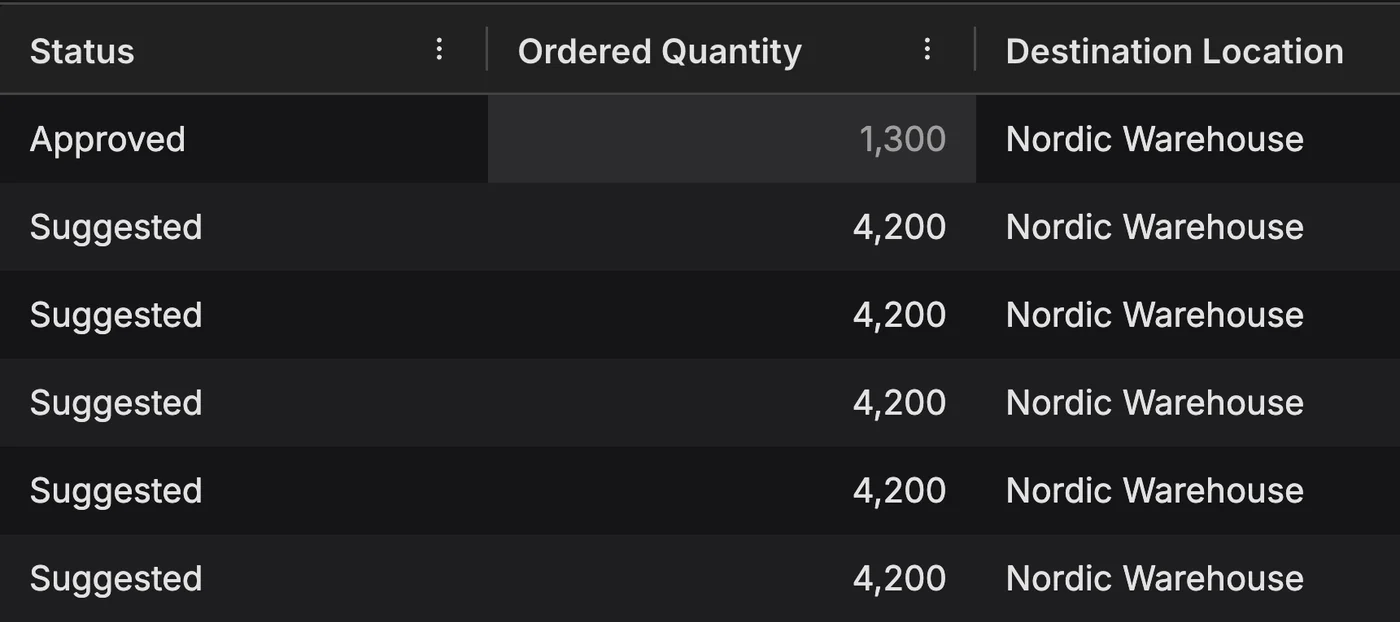
Stock arrives by batch under the ERP's own batch numbers: BATCH-TAB100-N001, 800 boxes at Nordic Warehouse.
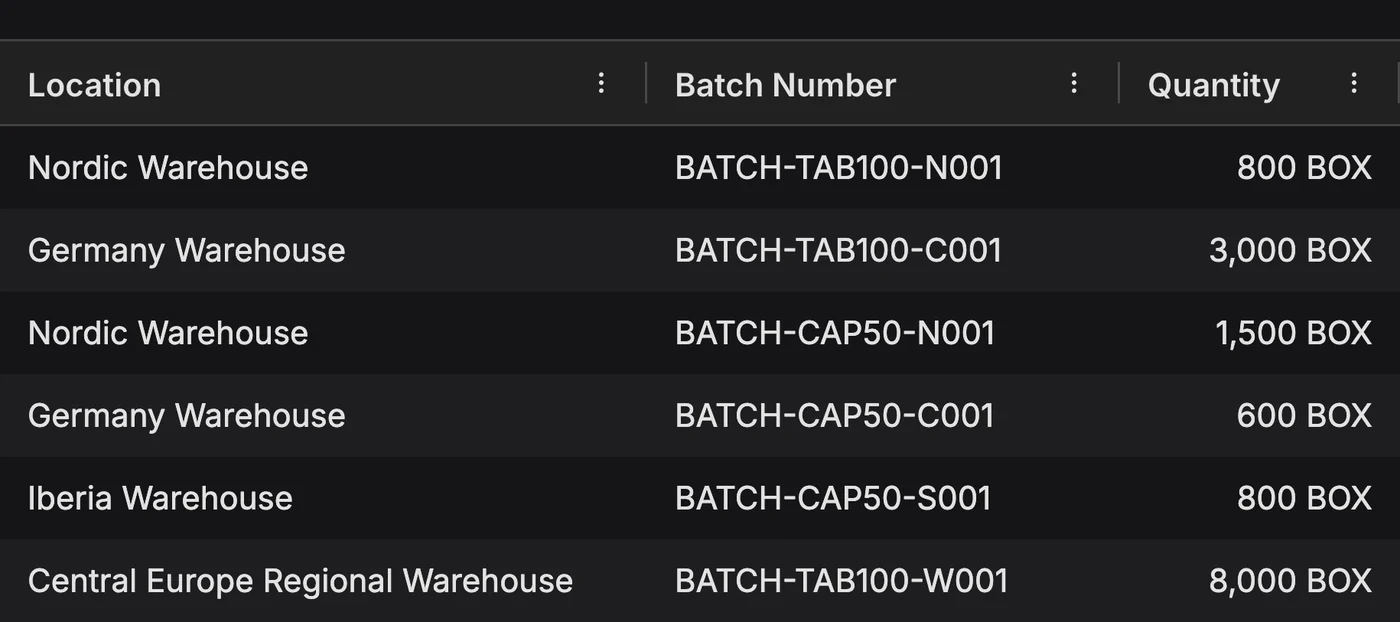
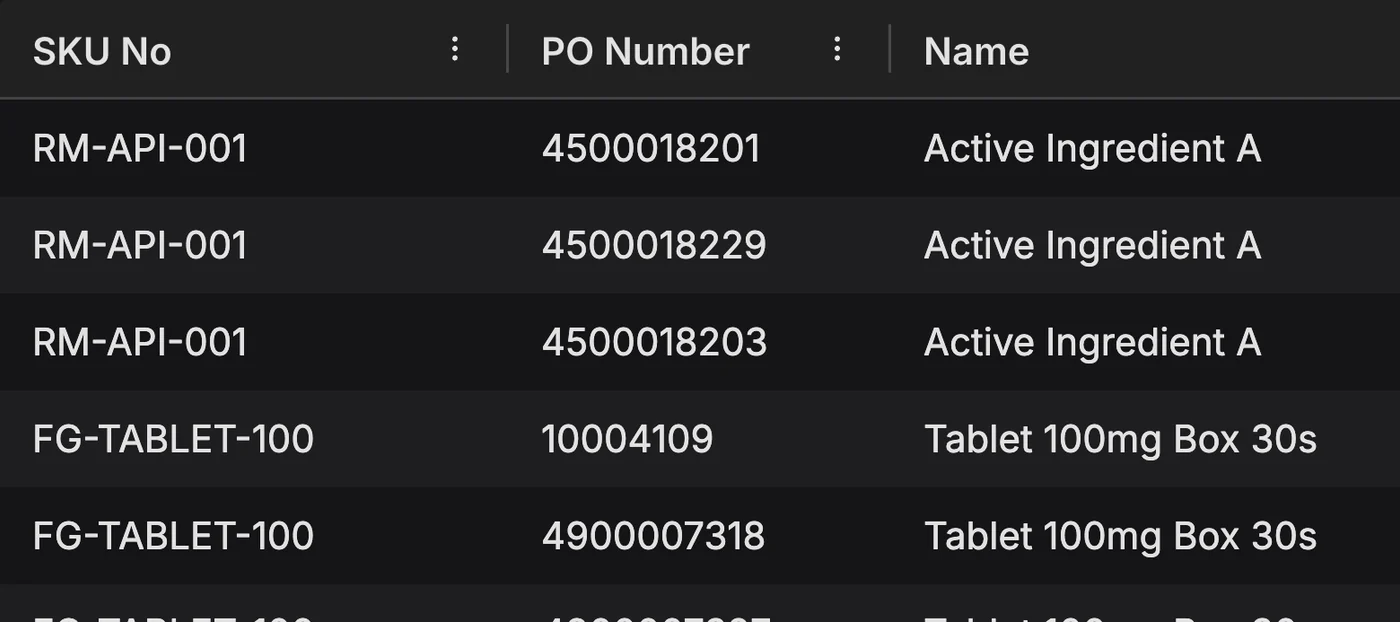
PLAIO inventory rows by warehouse and ERP batch number, with batch BATCH-TAB100-N001 holding 800 boxes at the Nordic warehouse highlighted

No integration skills needed on your side

Planning projects tend to stall at the integration, usually while someone waits for an interface spec or a slot in the IT queue. With PLAIO your IT team grants access to the ERP and we take it from there. Your planners start on live ERP data.

AI drafts the data mapping, and a consultant checks it before it reaches the plan.

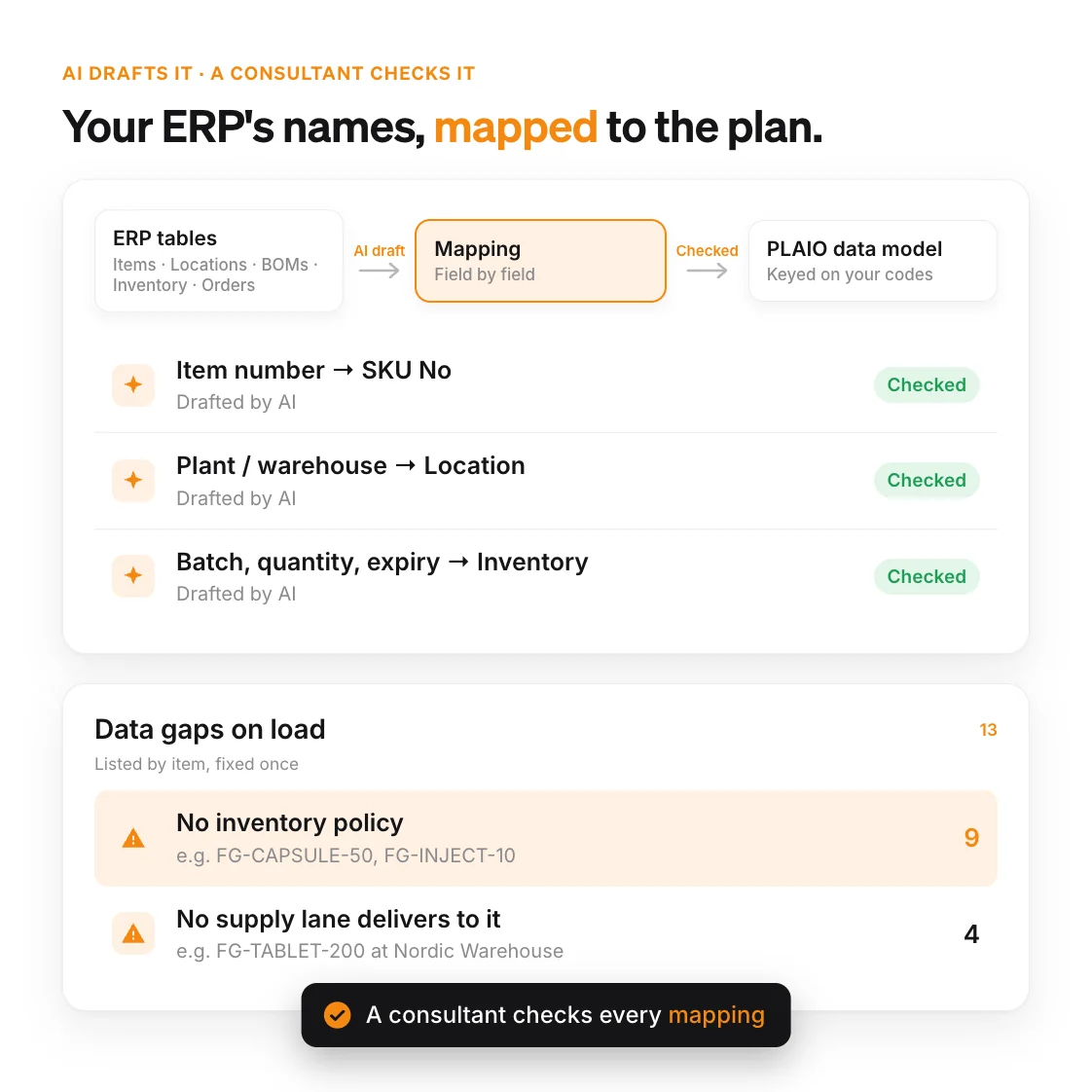
No two ERPs name their fields the same way. We use AI for the first pass of each mapping into PLAIO's data model, covering items, locations, bills of materials, inventory and orders. Then one of our consultants goes through it.

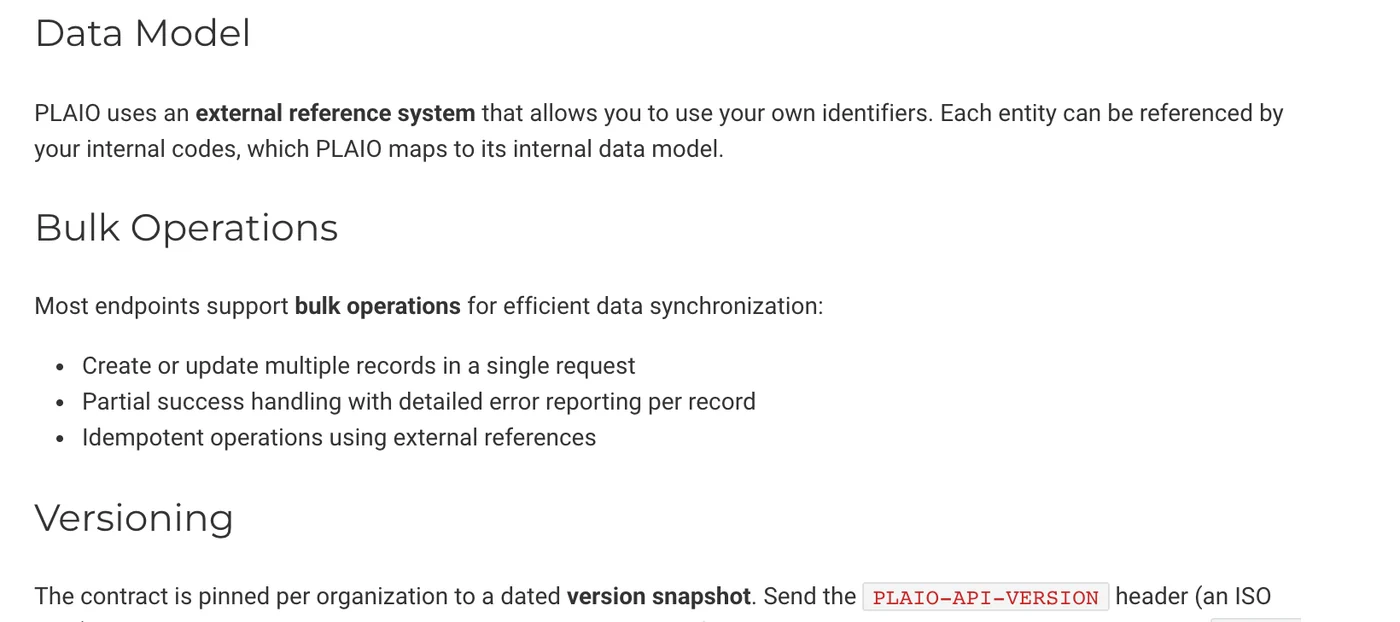
Your item numbers, location codes and order numbers stay as they are. PLAIO checks the data each time it loads and lists the gaps by item. A typical one is an item with no inventory policy. Another is a location that no supply lane delivers to. Your team fixes them once and the plan stops working around them.

Why it matters:

Nobody on your side writes an interface or learns an integration platform. The plan runs on the ERP's own data and your IT team keeps working on its own roadmap.

Diagram: ERP tables are mapped to PLAIO's data model by an AI draft that a consultant checks, with a list of 13 data gaps found on load

Ways we connect PLAIO to your data

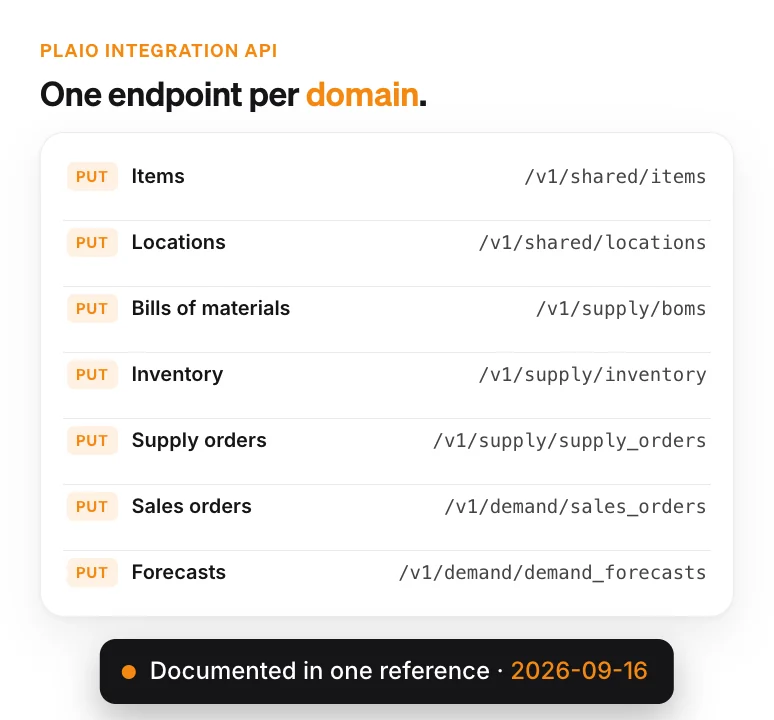
List of PLAIO Integration API endpoints, one per data domain: items, locations, bills of materials, inventory, supply orders, sales orders and forecasts

Standard APIs and endpoints

Each kind of data has its own documented endpoint in the PLAIO Integration API, from items and bills of materials to sales orders and forecasts. Your ERP or integration partner can call them directly.

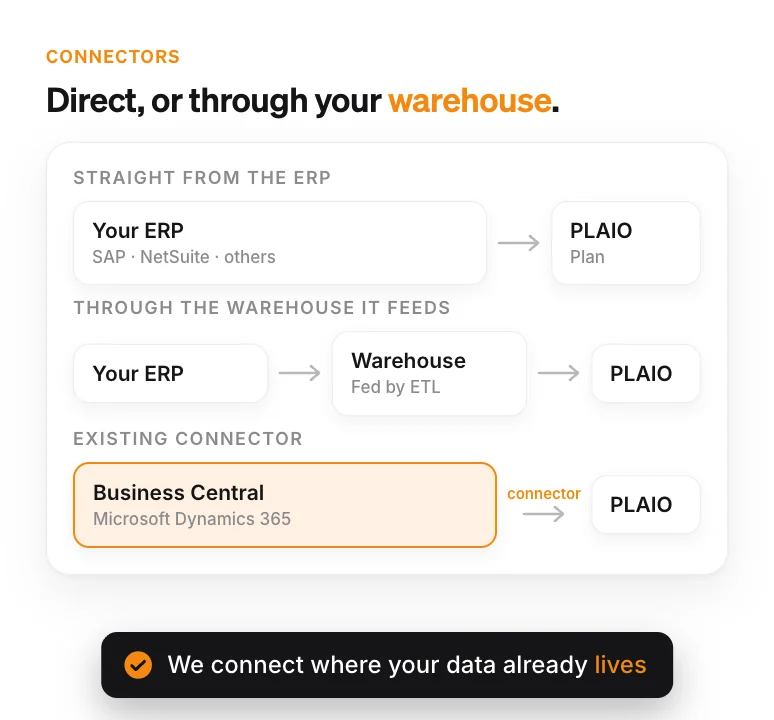
Diagram of three ways PLAIO connects: directly to the ERP, through the data warehouse the ERP feeds, or through the existing Microsoft Dynamics 365 Business Central connector

A connector to your ERP or warehouse

If your ERP already feeds a data warehouse, we can connect there. Otherwise we go to the ERP directly. Microsoft Dynamics 365 Business Central has a connector that already exists.

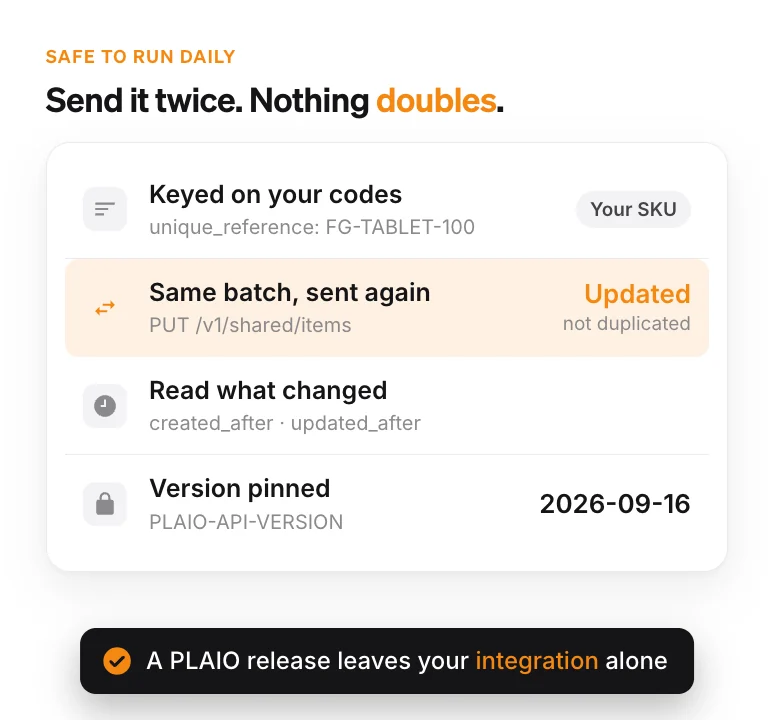
Card showing that API records are keyed on your own codes, a re-sent batch updates instead of duplicating, changes are read with created_after and updated_after, and the API version is pinned to 2026-09-16

An API that is safe to run daily

Records are keyed on your codes, so repeating a bulk write does no harm. The ERP reads approved orders back with created_after and updated_after filters. Because the API is versioned by date, a new PLAIO release leaves your integration alone.

Three ERPs, three setups

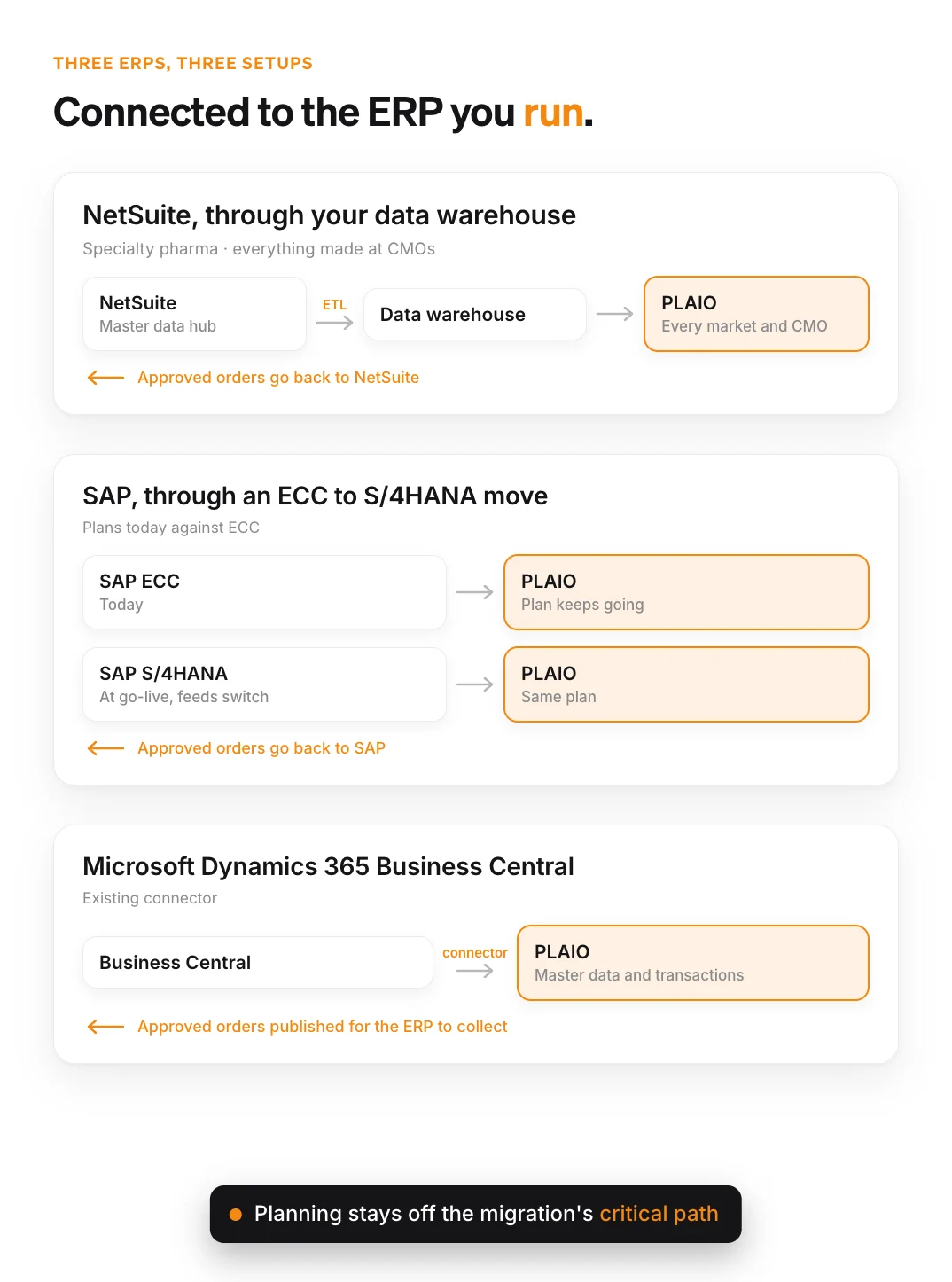
Diagram of three ERP setups: NetSuite through a data warehouse, SAP ECC moving to S/4HANA with the plan continuing, and Business Central through a connector, each sending approved orders back

NetSuite, through your data warehouse

One specialty pharma company makes everything at CMOs and keeps its master data in NetSuite. An ETL already copied that data into a warehouse, so PLAIO reads it from there. Demand and supply for each market and CMO run off the same records.

SAP, through an ECC to S/4HANA move

Another company is moving from SAP ECC to S/4HANA. It plans in PLAIO today against ECC. When S/4HANA goes live the feeds switch over and the plan keeps going, which keeps planning off the migration's critical path.

Microsoft Dynamics 365 Business Central

On Business Central we use the existing connector. Master data and transactions come in through it, and approved orders are published for the ERP to collect.

For supply chain and IT leads

The ERP stays in charge of the record

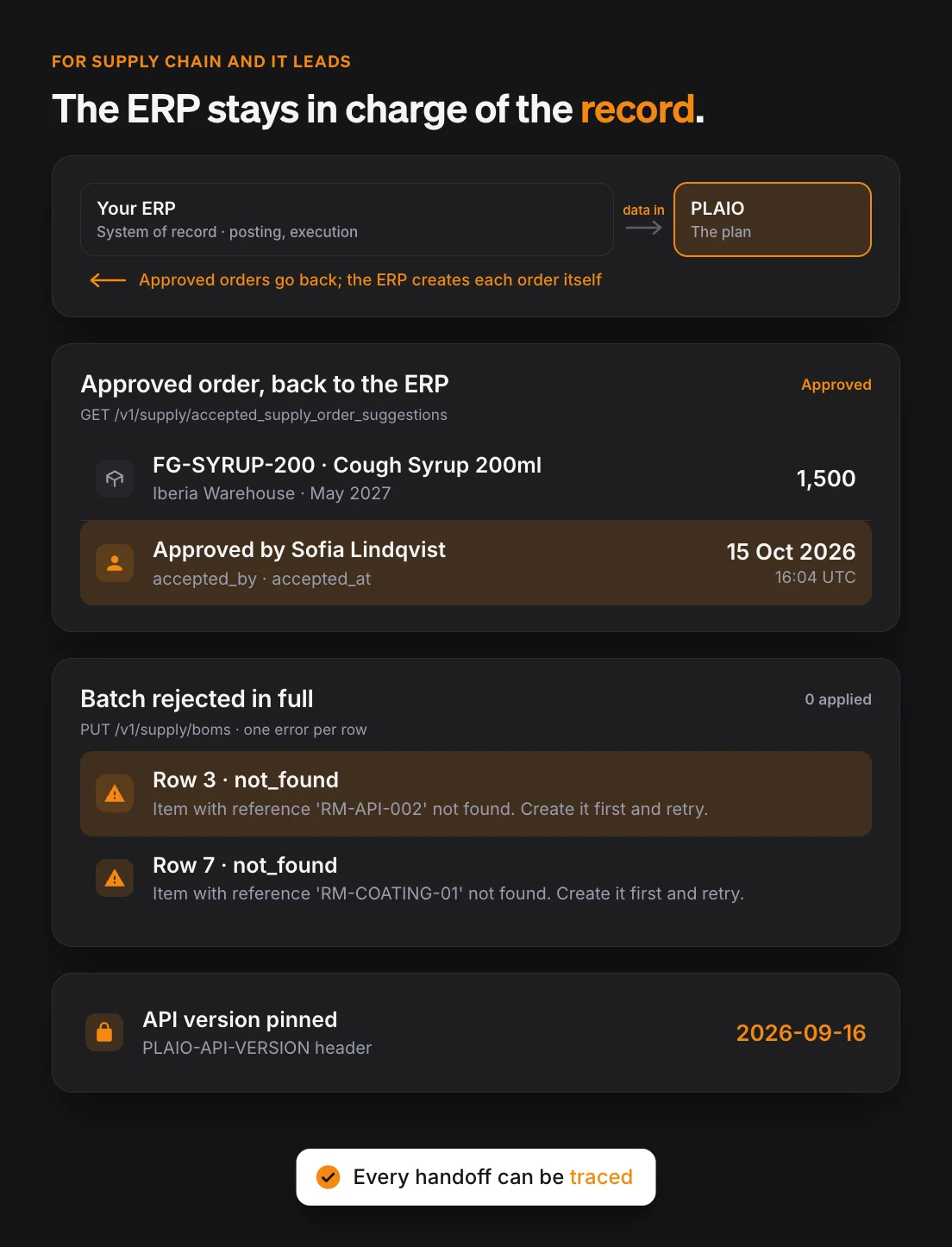
  • Each approved suggestion goes back with the approver's name and a timestamp. The ERP then creates the order itself.
  • If one row in a batch fails validation, the whole batch is rejected and each bad row gets its own error message.
  • Your organization is pinned to a dated API version. A PLAIO release won't land on your IT team's desk as a surprise project.

Why it matters:

Posting and financial control stay in the ERP, where they have always been. When an auditor or the S&OP meeting asks where a number came from, you can trace it back through each handoff.

Dark diagram: an approved order goes back to the ERP with the approver and time, a bulk write with unknown item references is rejected with an error per row, and the API version is pinned to 2026-09-16

Integrations FAQ

No. Your IT team grants access to the ERP, or to the data warehouse it feeds. We build the connection and the mapping. AI produces the first draft of each mapping and a consultant reviews it before it goes live.

Our customers run SAP (ECC and S/4HANA), NetSuite and Microsoft Dynamics 365 Business Central. PLAIO also works with Oracle. The Integration API doesn't depend on any one vendor, so other ERPs and warehouses connect in the same way.

Access to the ERP or warehouse, plus someone who knows your planning data and can answer our questions. We pull the data out and map it. Before planning goes live we check it in a test environment.

No. Connect PLAIO to the ERP you have today and start planning. When the new one goes live we move the feeds across, and the plan carries on without a rebuild. That keeps planning out of the migration scope. If a feed isn't ready yet, a dataset can be loaded from a file until it is.

No. The ERP remains the system of record for items, stock, open orders and execution. PLAIO is where planners build the plan. Approved supply orders go back through the API and the ERP creates them in its usual process.

PLAIO validates a bulk write as one unit. If a single row fails, none of the request is applied, and the response lists an error per row. A common one is an item reference that doesn't exist yet. You hear about it on the day the data arrives, with the row and the missing reference named.

No. Each organization is pinned to a dated API version through the PLAIO-API-VERSION header. Newer changes reach you only when you move the pin. Every version comes with a changelog of what changed on the wire.

SAP, Oracle, NetSuite and Microsoft Dynamics 365 Business Central are trademarks or registered trademarks of their respective owners. PLAIO is not affiliated with or endorsed by them.

Let us connect your ERP

In a demo we walk through how PLAIO would connect to your ERP or warehouse and how approved orders find their way back. Your IT team doesn't have to start a project for it.

Book a demo

Cookie settings

To enhance your experience on our site and to analyze traffic, we use cookies. By clicking "Accept All," you agree to the storing of cookies on your device for analytics purposes. You can manage your settings or learn more in our Privacy Policy.

Manage Settings
  • Your Privacy Matters to Us

    We use cookies to improve your browsing experience and analyze how our website is used. These cookies allow us to understand trends, monitor website traffic, and gather insights to make the site better for you.

    We respect your privacy and are committed to transparent data usage.

    Why Do We Use Cookies?

    Necessary Cookies: These ensure that the website functions properly.

    Analytics Cookies: These help us track site traffic, user behavior, and performance metrics. The data collected is anonymous and allows us to continuously optimize the site.

    Preferences Cookies: We may use cookies to remember your preferences and tailor your experience.

    Marketing Cookies: We may use cookies for marketing purposes.

    Your Control, Your Choice

    By clicking "Accept All," you consent to the use of all cookies. If you prefer, you can customize your choices and opt out of certain cookies. You can learn more about how we handle data and cookies in our Privacy Policy.