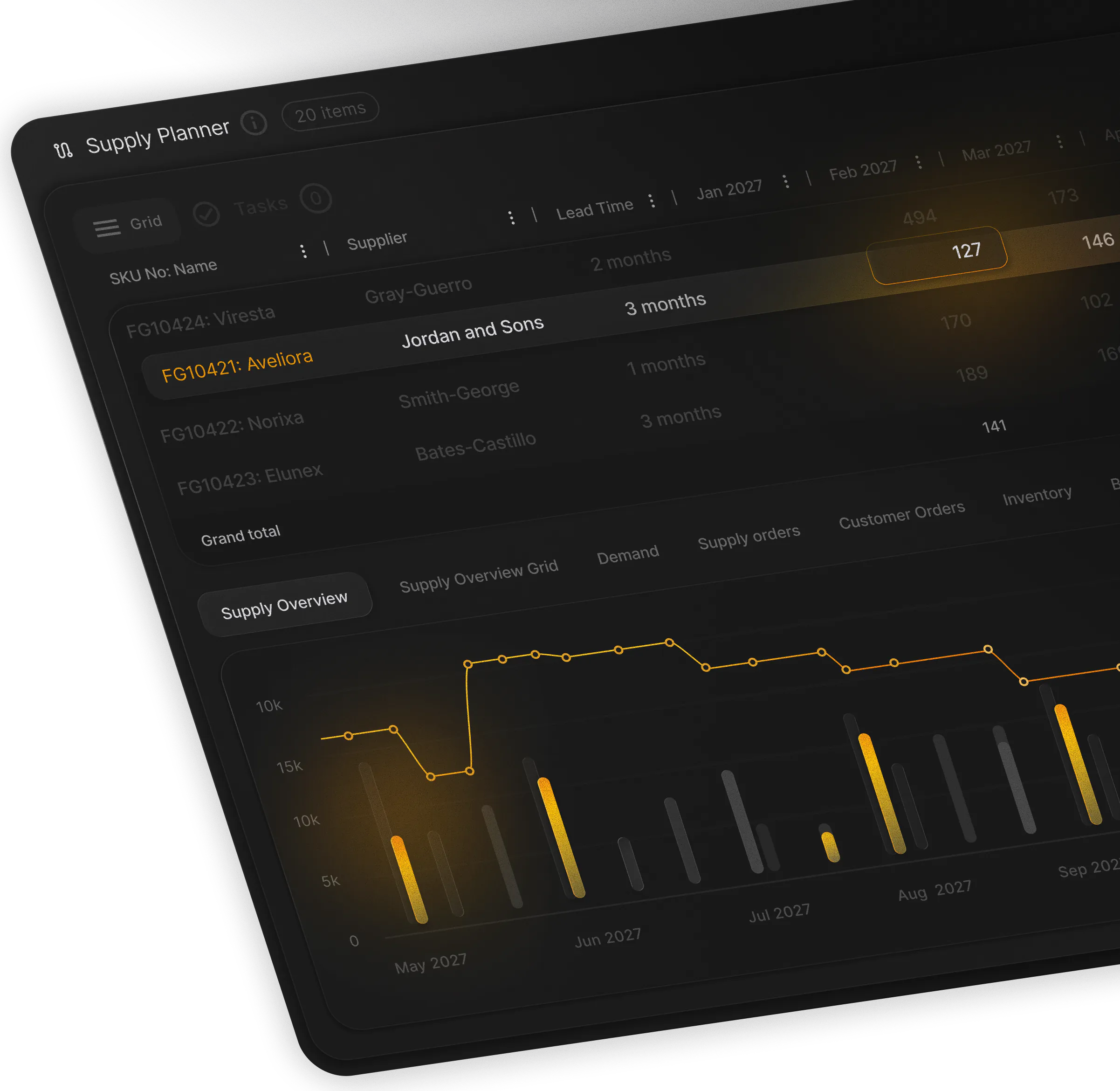
SAP Business One planning, minus the spreadsheet
Business One runs your orders and stock. Shelf life by market, CMO lead times and MOQs end up in a planner’s spreadsheet beside it. PLAIO plans them on Business One’s data, and the orders your planners approve go back to it.
See a few of your SKUs planned on Business One data
30 minutes with a PLAIO planning specialist. Bring a few SKUs and the spreadsheet you plan in today.
Leading pharmaceutical companies






Where the plan really lives on Business One
Business One records what you bought, made and sold. The rules a pharma plan depends on, like minimum remaining shelf life by market, CMO lead times and minimum orders, tend to live in emails, PDFs and one planner’s workbook.
The export comes out on Monday. Then one person rebuilds the plan by hand, every cycle.
CMO commitments arrive as a PDF and the commercial forecast as another workbook. The shelf-life rules are in someone’s head. One planner stitches it all together, and the plan is only as current as their last rebuild.
When a supplier slips, there’s no quick way to see what it does to stock and service. And when someone asks who changed an assumption, and why, there is no record to show.
Why it matters:
Business One can stay your system of record. What’s missing is a planning layer between it and the plan, and adding one doesn’t touch the ERP you have already validated.
What you can do with PLAIO on Business One
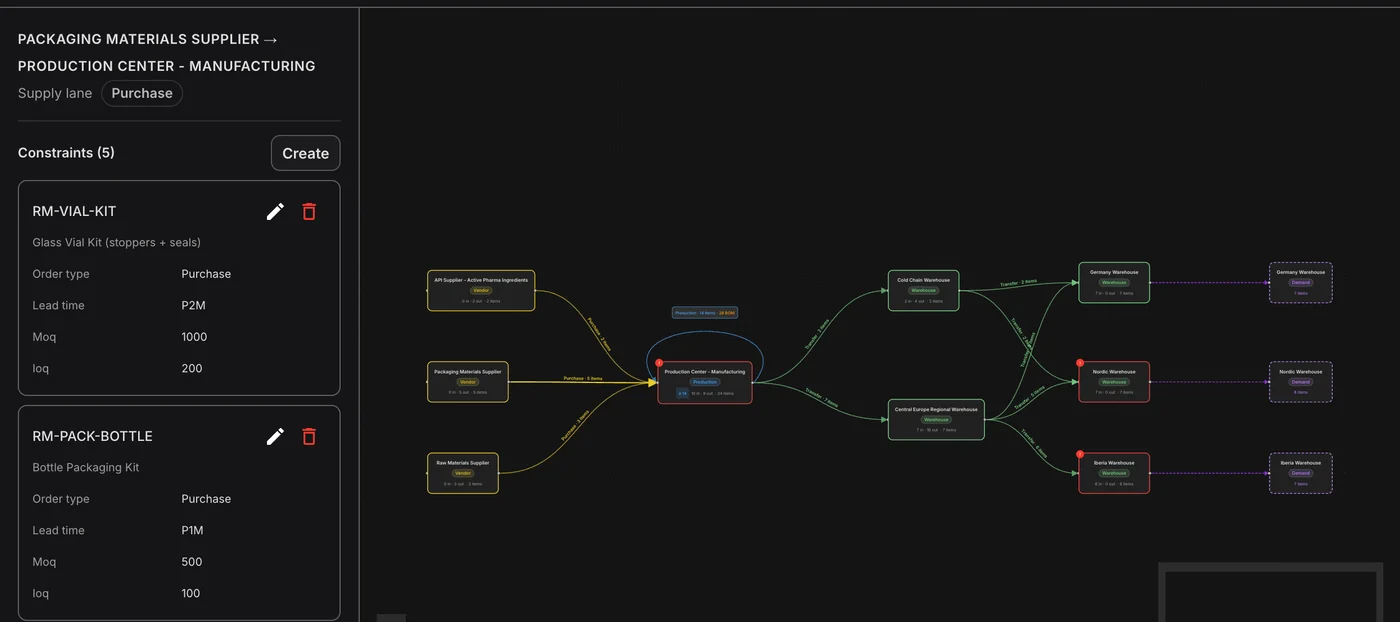
Put CMO and supplier rules on every lane
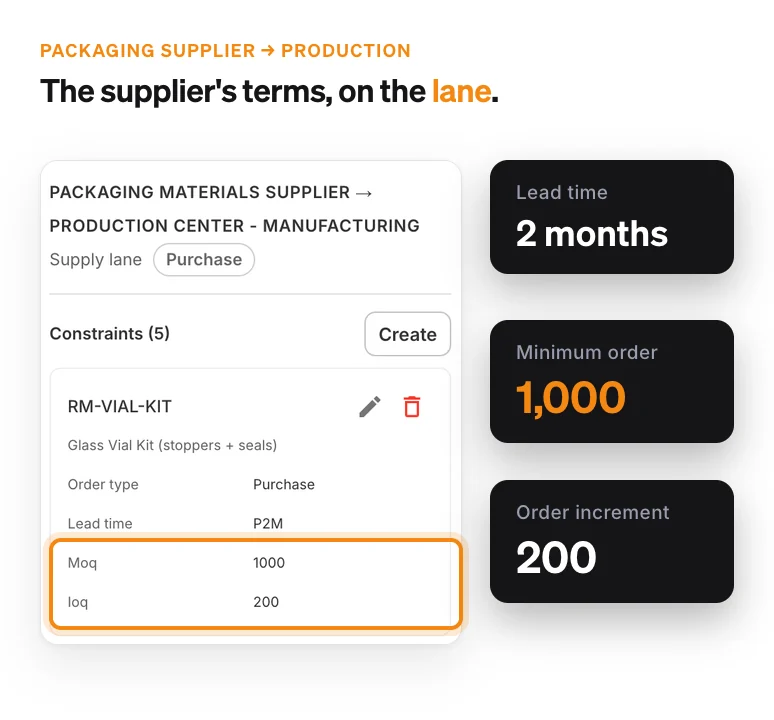
Lead times, minimum orders and order increments sit on each supply lane, and planned orders round to them. Everyone plans from the same numbers instead of five files.
Plan with shelf life by market
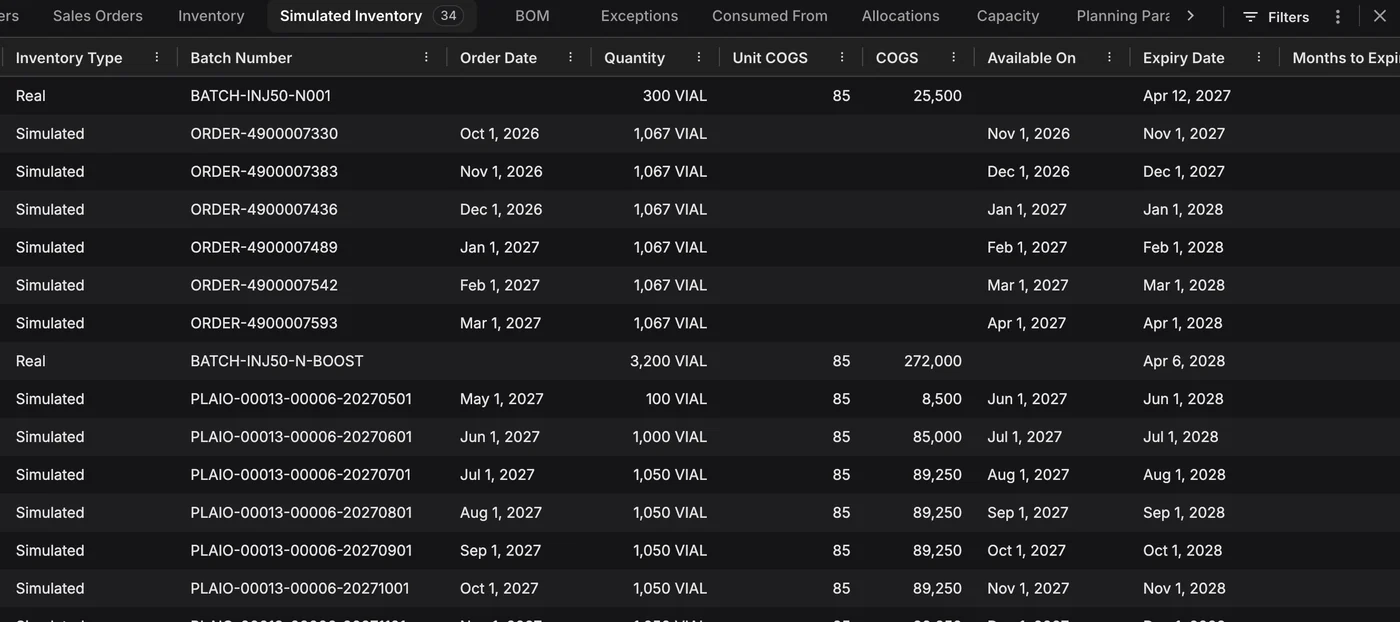
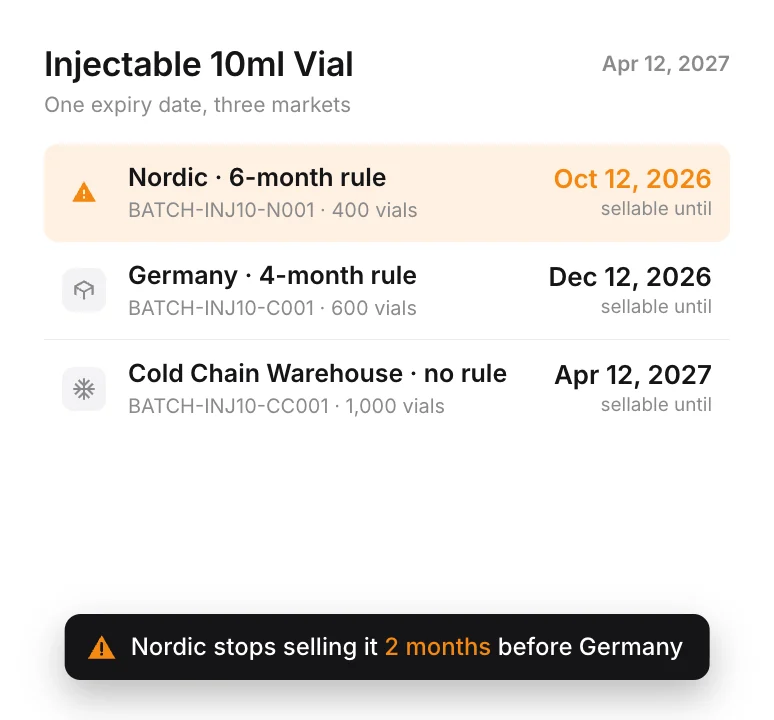
Batches are used first-expiry-first-out against each market’s minimum remaining shelf life. Stock that is too short-dated for a market doesn’t count against its demand.
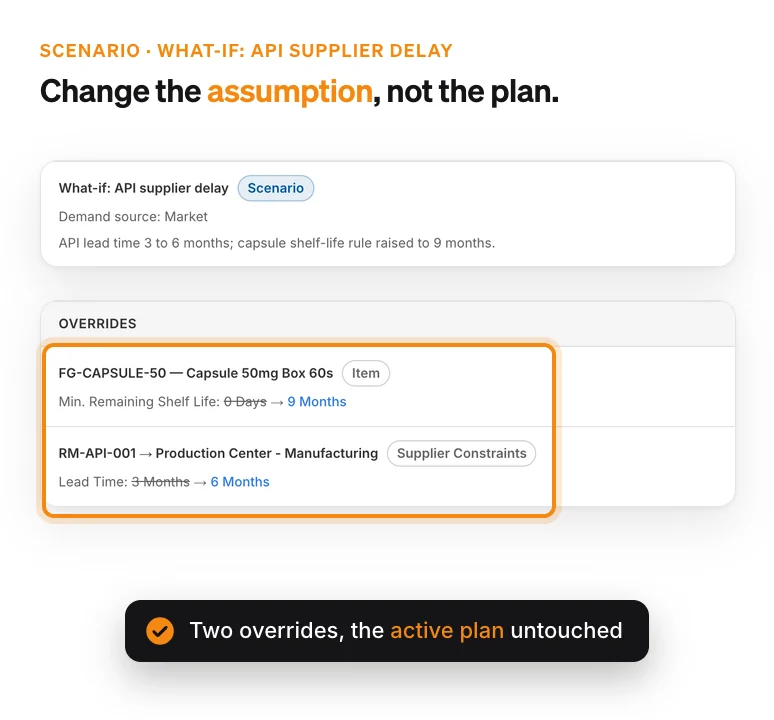
Test a what-if before it happens
Delay a supplier, cap a capacity or tighten a shelf-life rule in a scenario. It stays a separate scenario next to the active plan, so none of it is real until you decide.
How PLAIO works with Business One
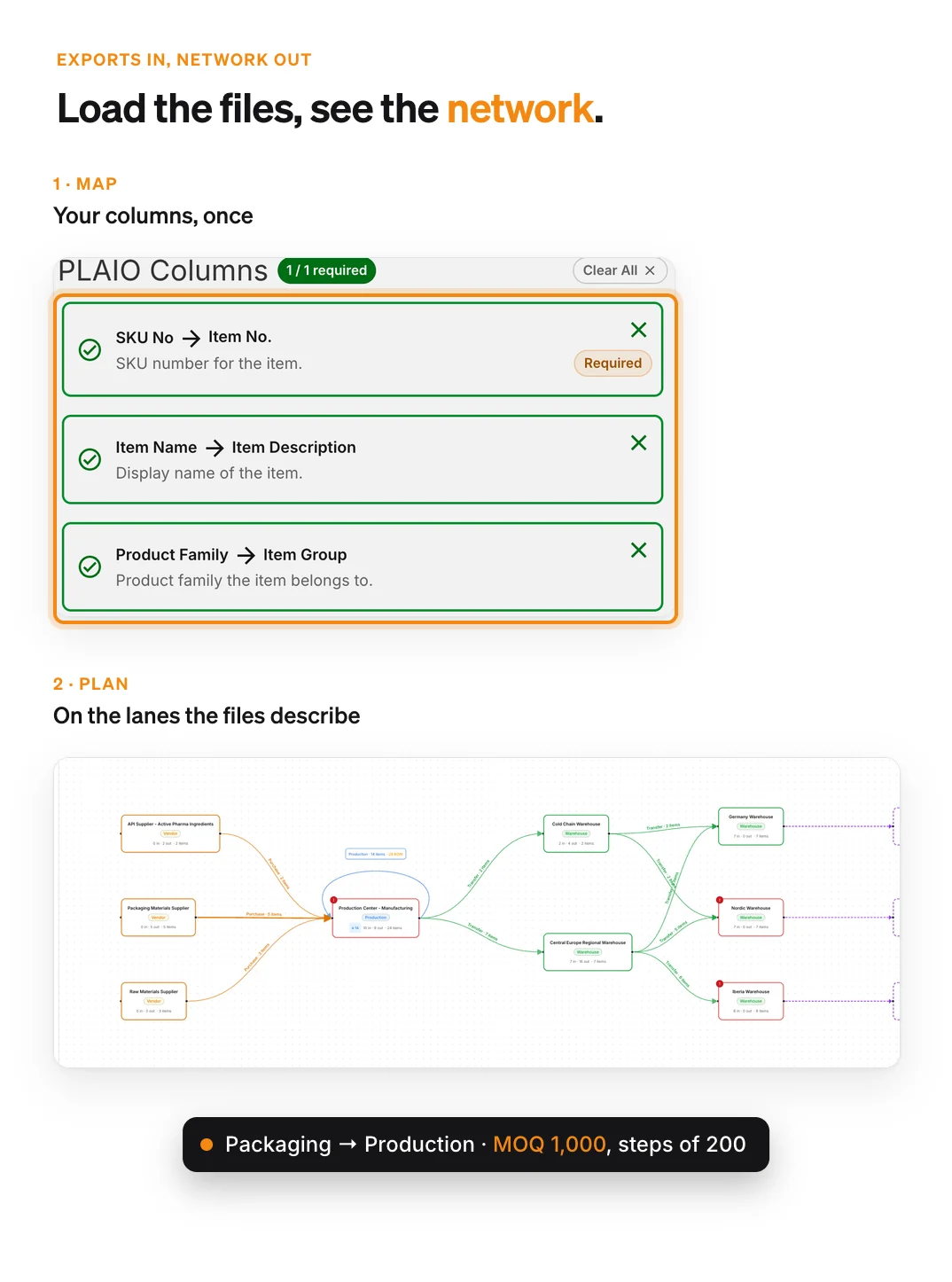
Business One stays the system of record
Orders, inventory and financials stay in Business One. PLAIO plans on items and their shelf life, locations including your CMOs, sales orders, open purchase and production orders, BOMs, lead times and MOQs, and batch-level stock.
Start on the exports you already have
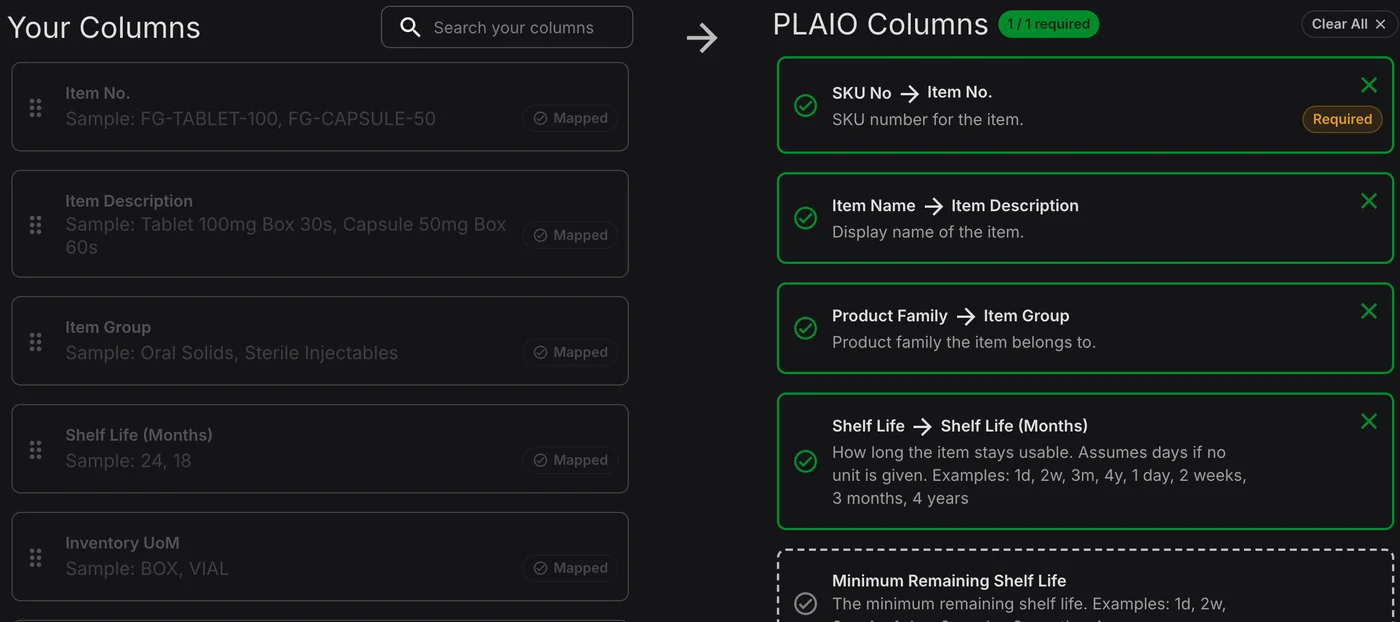
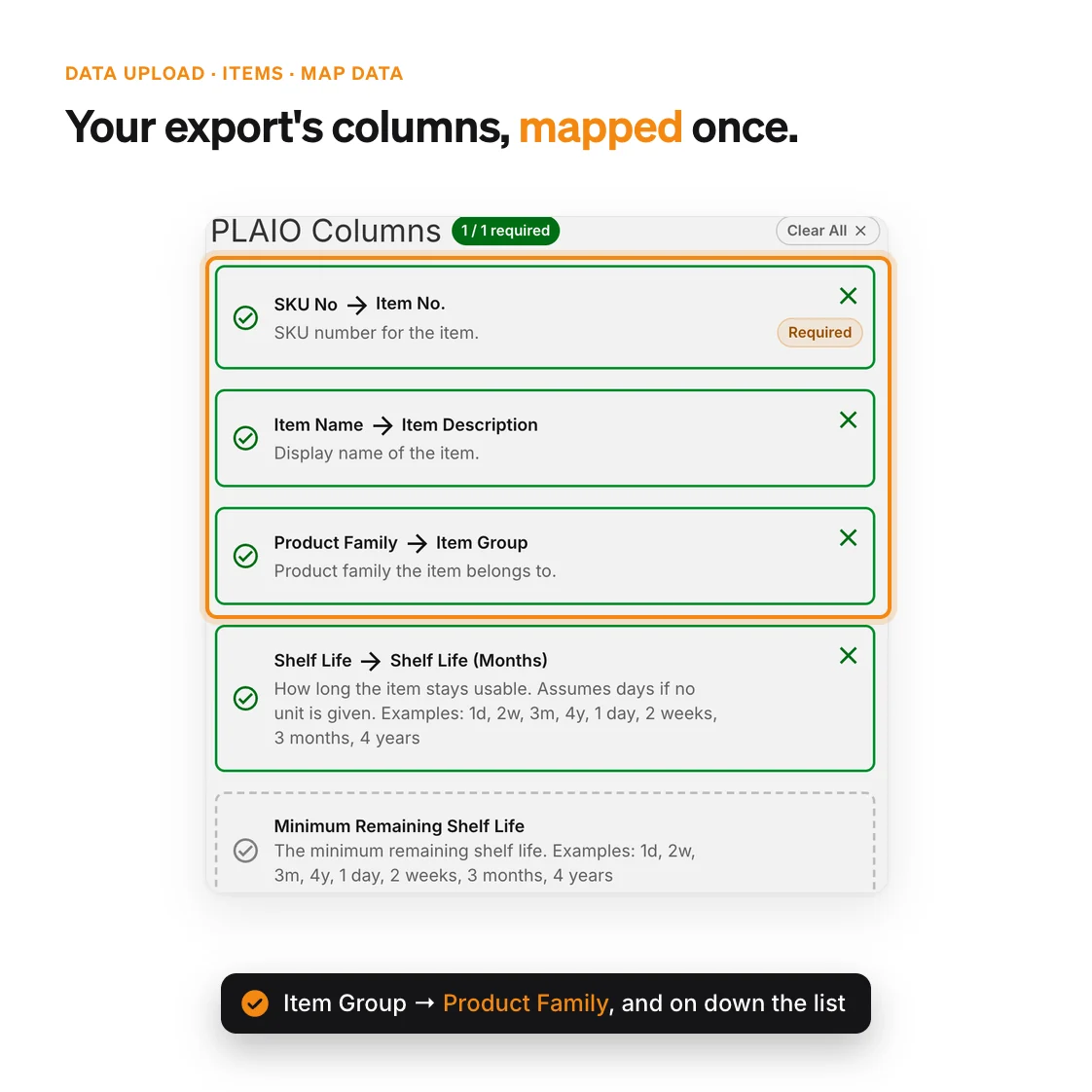
Every dataset can be loaded from a spreadsheet, and your planners map their columns once. When a live feed is ready, each dataset switches to it and the plan carries on.
We build the connection
PLAIO connects through its Integration API, or through a data warehouse your ERP already feeds. There is no ready-made Business One connector, so our team builds the connection and the data mapping for you.
Planners approve every order
A suggested order goes back only after a planner has signed it off, and Business One creates it in its own process. Every write is logged, and a batch that fails validation is rejected in full.
Bring a few SKUs. See them planned on Business One data
30 minutes on your own products, your CMOs and the spreadsheet you plan in today.
Test it on a few SKUs Prefer to read first? When the plan lives in a spreadsheet, the risk lives everywhere else