Advanced Planning & Scheduling

Advanced planning and scheduling software for pharma

Schedule the shop floor from the same orders as your supply plan. The Capacity Plan shows each line's load by month, so you know which lines can take more.

See your own lines planned and scheduled

30 minutes with our team. Bring a few SKUs and the spreadsheet you schedule in today.
Goes straight to our team. Never shared or sold.

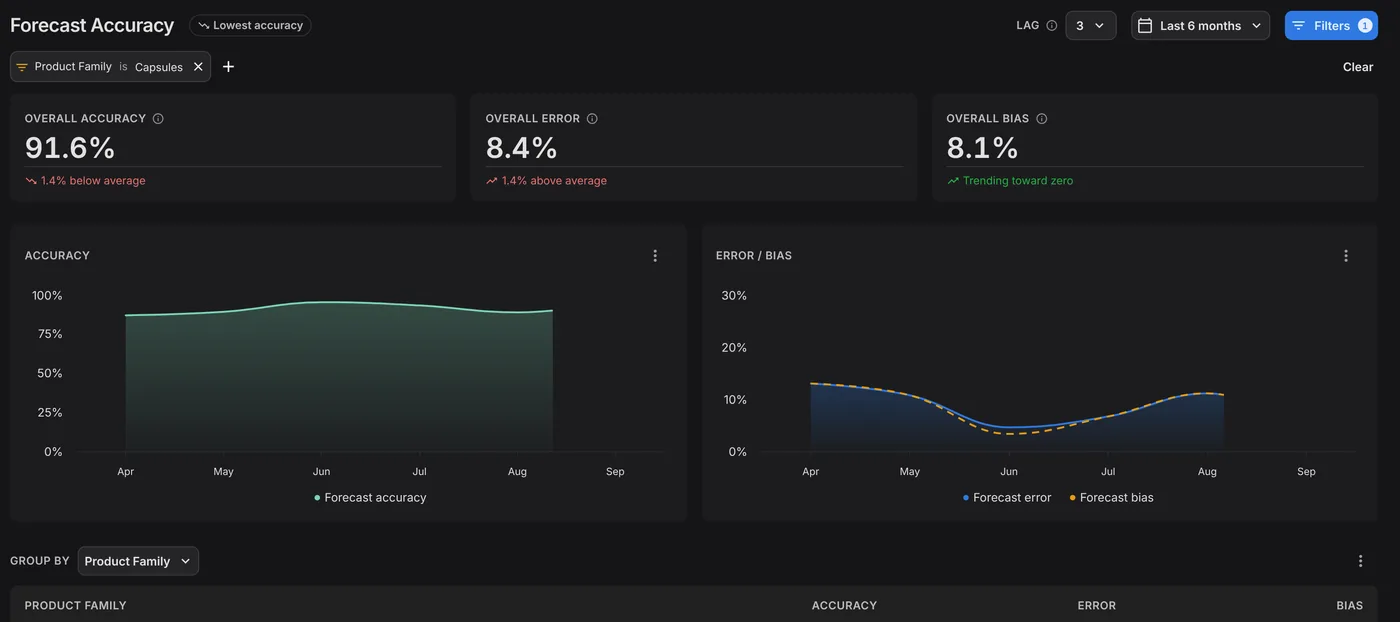
Forecast Accuracy dashboard for Capsules at a 3-month lag: 91.6% overall accuracy, 8.4% error and 8.1% bias over the last six months, with accuracy and error charts by month.
Trusted by

Leading pharmaceutical companies

Azurity
Coripharma
MS Pharma
Navamedic
AGM Pharma
Adalvo
Frostpharma
CNX Therapeutics
Arcera
Sun Wave Pharma

Plan and schedule on one set of orders

Your schedule starts from the orders your supply plan already made, so nobody re-keys them. In PLAIO, the Capacity Plan loads your firm orders and order suggestions, and the shop floor schedules those production orders.

Jobs land where a line can run them

Auto Schedule places the orders you pick only where a line can take them. It reads the lines each step can run on, with setup, run and cleaning times. It adds the changeover for each product pair, and each line's shifts and downtime.

If a job sits too close to the one before it, PLAIO flags it Not Enough Changeover. The draft shows the line and the time.

Why it matters:

The planner moves the job while the week is still a draft.
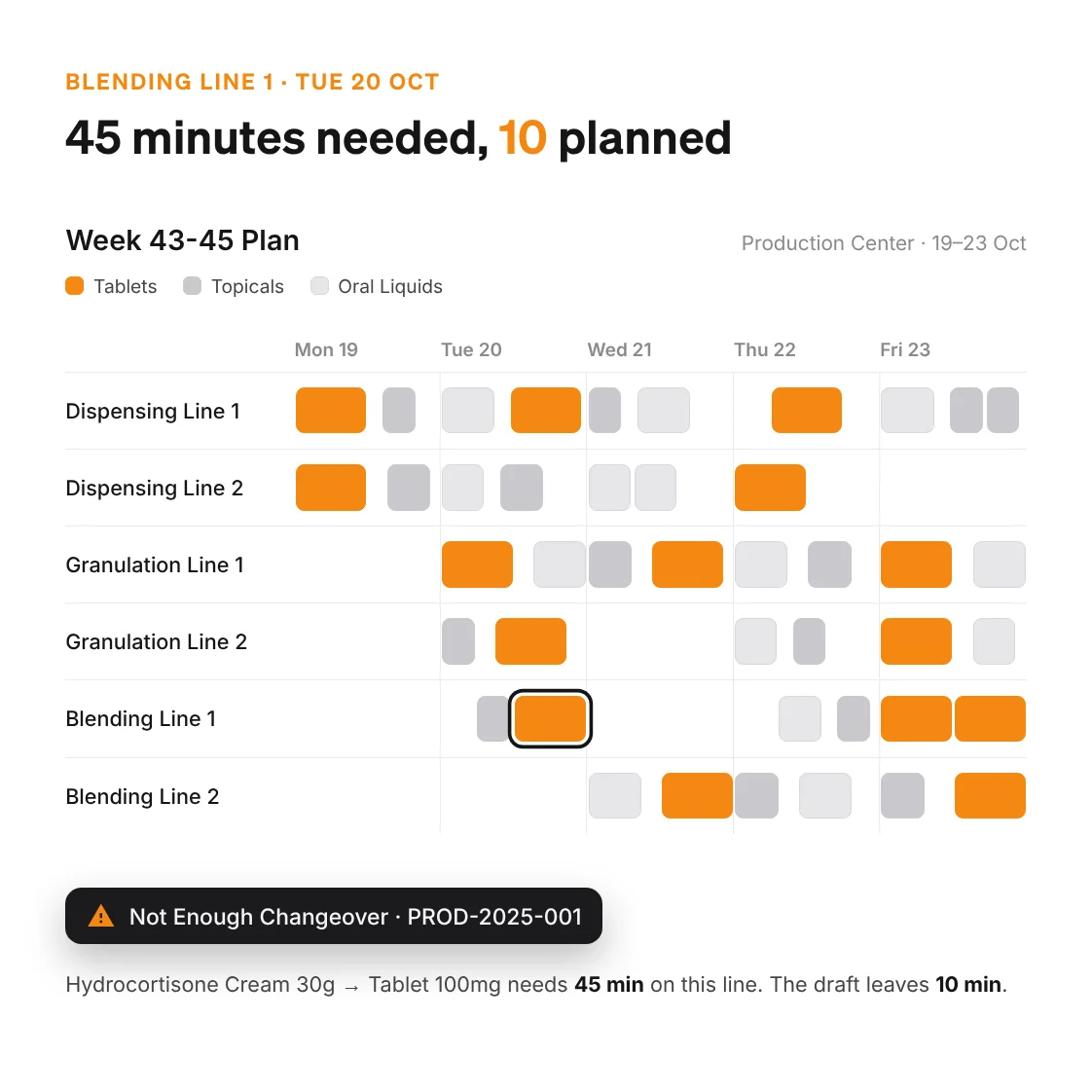
Week 43-45 Plan for the Production Center, 19 to 23 October, across six dispensing, granulation and blending lines. One job on Blending Line 1 is flagged Not Enough Changeover: Hydrocortisone Cream 30g to Tablet 100mg needs 45 minutes and the draft leaves 10.

What changes for your planners

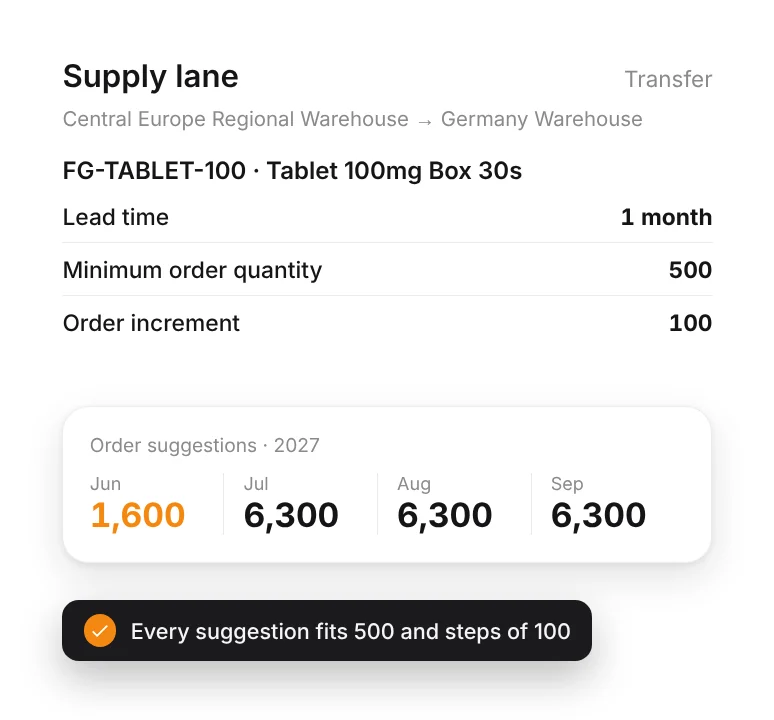
Supply lane from Central Europe Regional Warehouse to Germany Warehouse for Tablet 100mg Box 30s: 1-month lead time, MOQ 500, order increment 100, with order suggestions of 1,600 and 6,300.

Size orders to each lane

Order suggestions come out ready to place, sized to each lane's MOQ and order increment, inside its lead time and frozen period. You approve them before anything reaches the ERP.
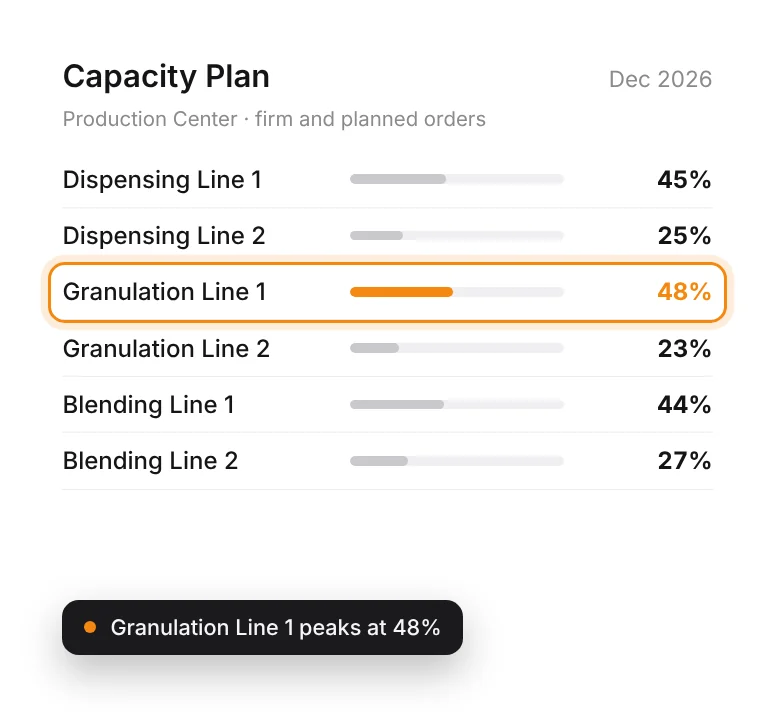
Capacity Plan for December 2026: utilisation for six Production Center lines, with Granulation Line 1 highest at 48%.

Check line capacity by month

See which line runs hot in March while you can still move volume. The Capacity Plan counts firm orders and order suggestions against each resource, for every month.
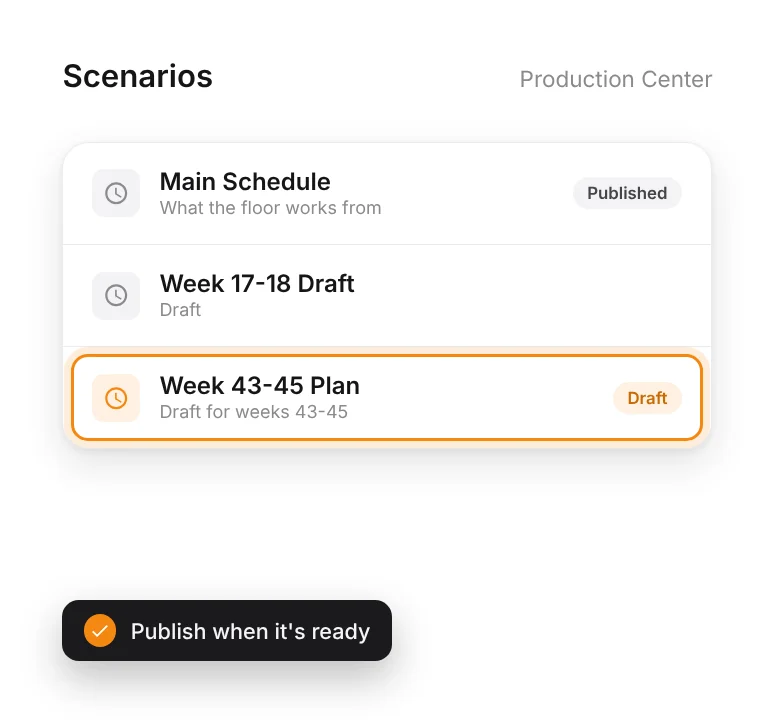
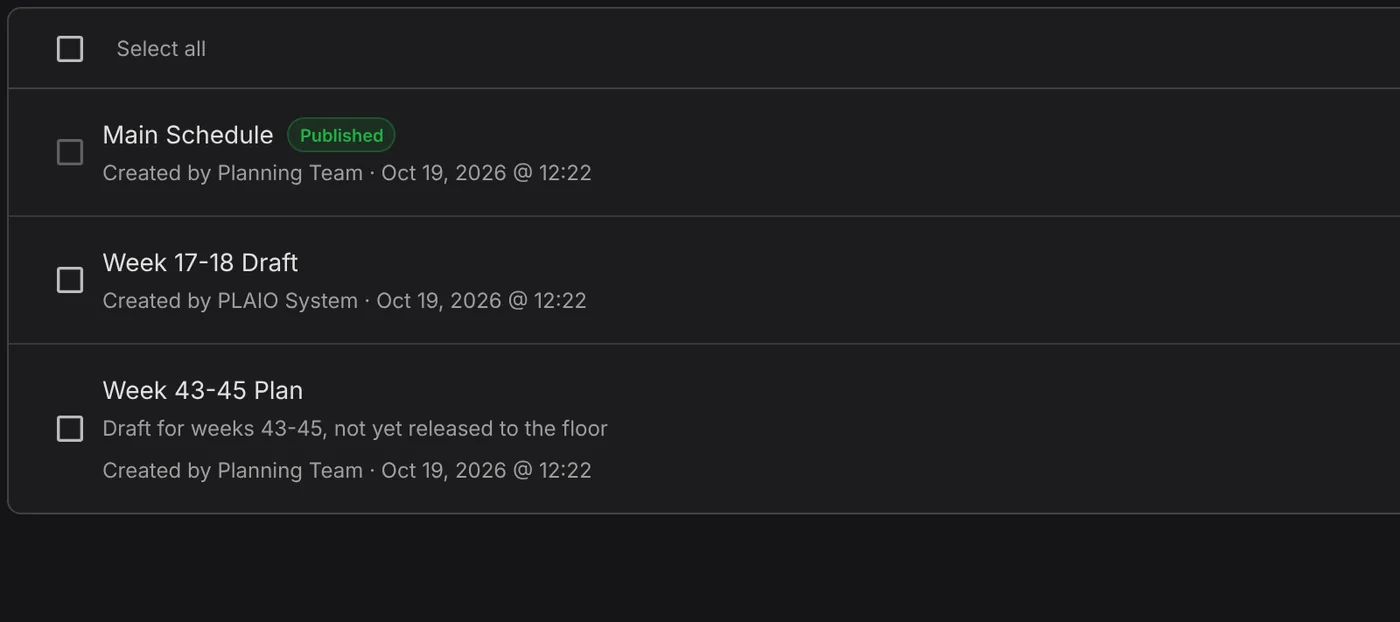
Production scenarios: Main Schedule is published, Week 17-18 Draft and Week 43-45 Plan are drafts.

Schedule in draft scenarios

Try next week as a draft beside the published schedule, and compare it with versions from Generate Scenario Alternatives. The floor sees a scenario only when you publish it.

From demand to the shop-floor schedule
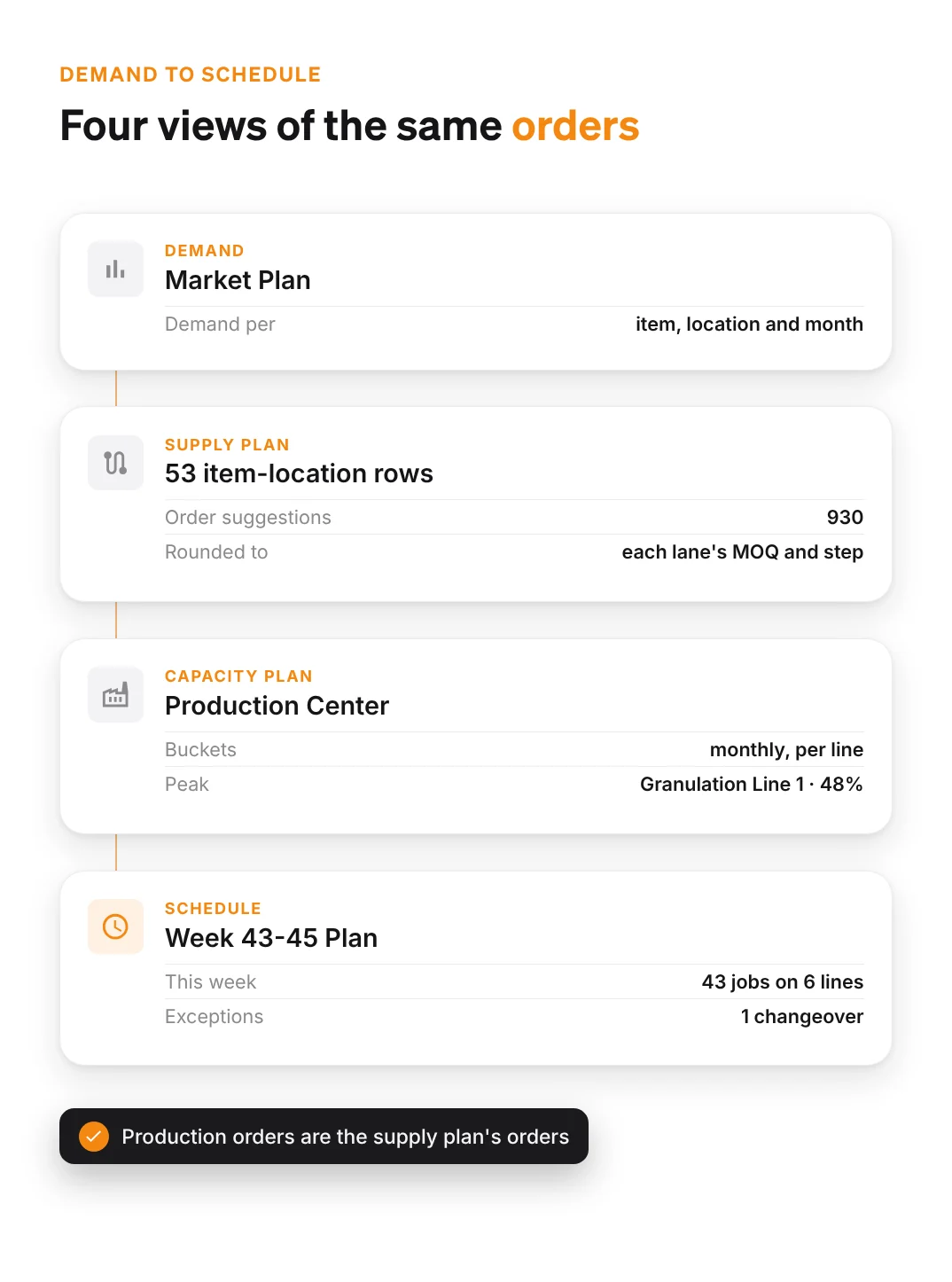
From demand to the shop floor: the Market Plan by item, location and month, a supply plan of 930 order suggestions across 53 item-location rows, the Capacity Plan peaking at 48% on Granulation Line 1, and Week 43-45 Plan with 43 jobs on 6 lines and one changeover exception.

Demand

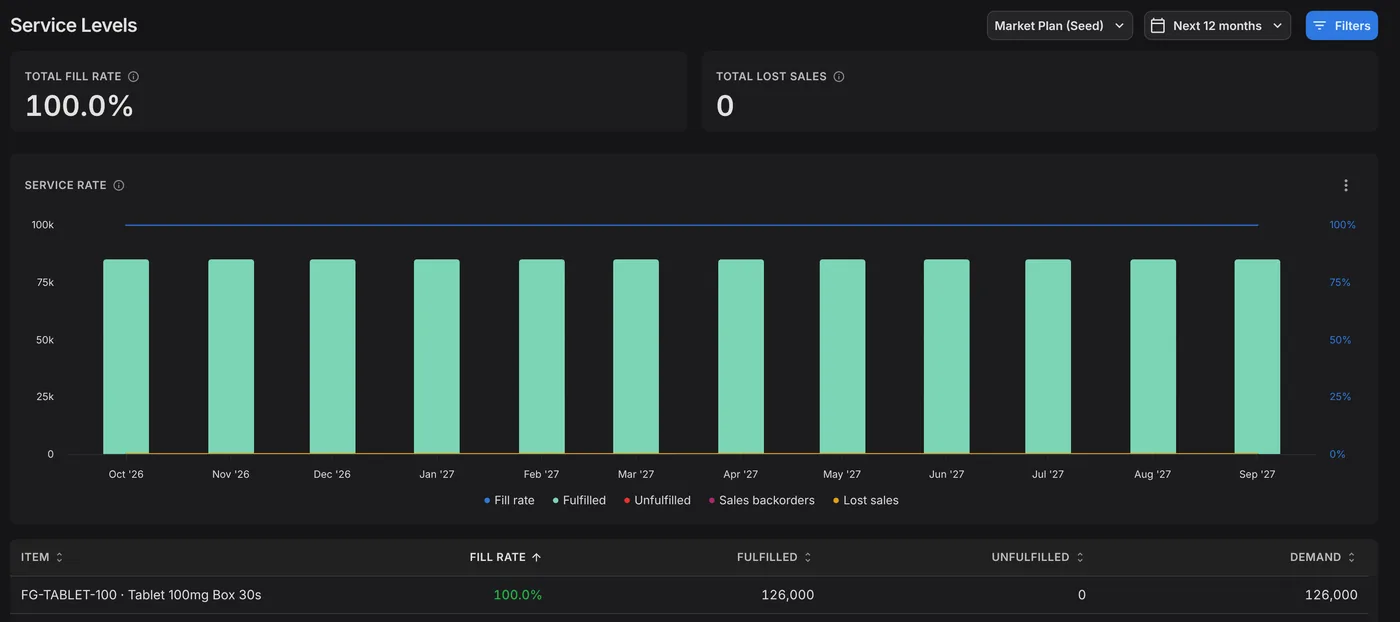
The supply plan runs against your demand plan, by item, location and month. When the demand plan changes, the next supply run picks it up.

Supply

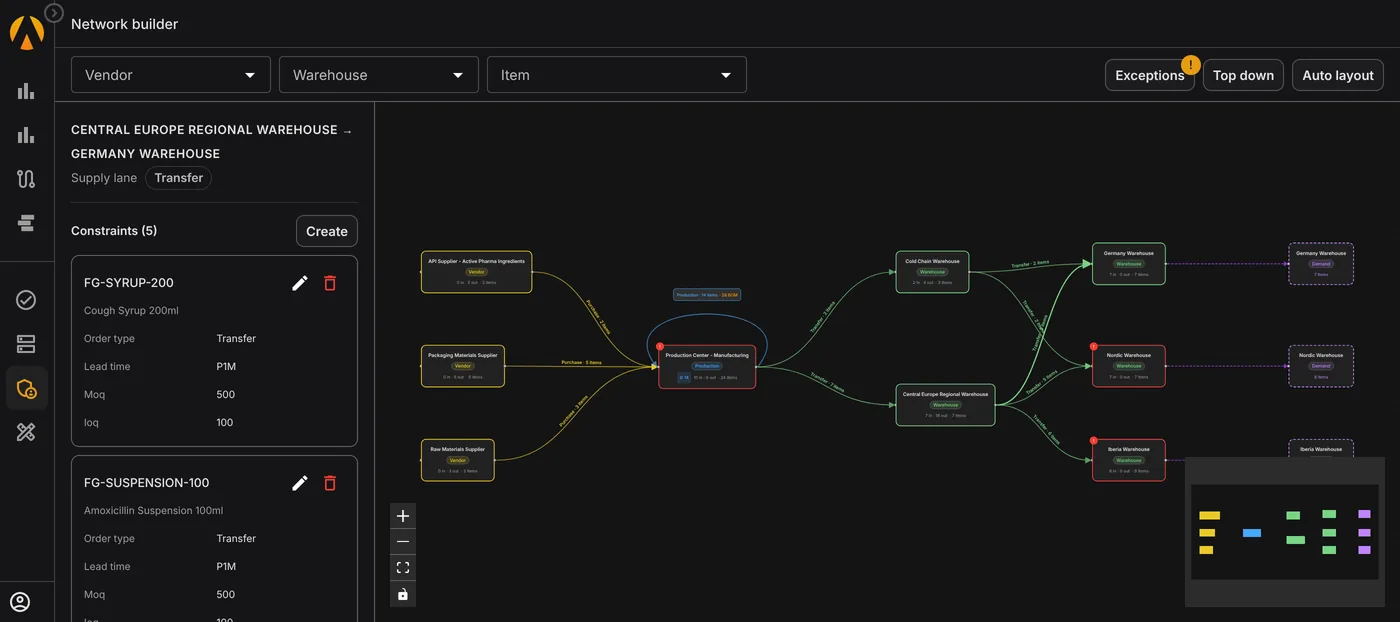
Supply planning nets demand against stock, open orders and safety stock across the network. Its order suggestions respect each lane's lead time, MOQ and increment, and the minimum remaining shelf life each market accepts.

Production

The Capacity Plan loads those orders onto each resource by month. The shop-floor schedule then places production orders job by job, around routings, changeovers, waits, shifts and downtime. A job that breaks a rule gets an exception.

Advanced planning and scheduling FAQ

APS software decides what to buy and make within real limits, such as supplier lead times and line capacity. It then sequences production on each line in finite time. In PLAIO, the supply plan and the shop-floor schedule work on the same orders, with the Capacity Plan in between.

No. PLAIO plans on top of your ERP. The supply plan applies lane rules and shelf life, and the scheduler places jobs on each line in finite time. The ERP stays the system of record. PLAIO is the planning layer, and approved suggestions are pushed back into the ERP.

Yes. Auto Schedule places a job only where its line is free. That means inside the shift, clear of downtime and after the changeover from the previous product. It also keeps the minimum and maximum waits between steps. If someone moves a job to a spot that breaks a rule, PLAIO raises an exception on it.

Yes. Pick orders in Auto Schedule and PLAIO places them around routings, shifts, changeovers and downtime. Generate Scenario Alternatives builds several schedules that trade late orders against changeover time. Each one is saved as a new scenario for you to compare and publish.

Firm supply orders and order suggestions inside the planning horizon, by month and resource. Suggestions count whether or not they are approved. Nobody approves suggestions a year out, and leaving them out would hide long-range bottlenecks.

Yes. CMO supply is planned through supply lanes, each with its own lead time and order quantities. If you schedule a CMO line yourself, set it up as a separate shop floor with its own scenarios.

A conversation with our team about how you plan and schedule today, and a few of your SKUs as they would look in PLAIO. Book a time.

See your SKUs scheduled on your lines

In 30 minutes we take a few of your products from the supply plan to a draft schedule on your lines.

Book my 30-minute demo
Cookie settings

To enhance your experience on our site and to analyze traffic, we use cookies. By clicking "Accept All," you agree to the storing of cookies on your device for analytics purposes. You can manage your settings or learn more in our Privacy Policy.

Manage Settings
  • Your Privacy Matters to Us

    We use cookies to improve your browsing experience and analyze how our website is used. These cookies allow us to understand trends, monitor website traffic, and gather insights to make the site better for you.

    We respect your privacy and are committed to transparent data usage.

    Why Do We Use Cookies?

    Necessary Cookies: These ensure that the website functions properly.

    Analytics Cookies: These help us track site traffic, user behavior, and performance metrics. The data collected is anonymous and allows us to continuously optimize the site.

    Preferences Cookies: We may use cookies to remember your preferences and tailor your experience.

    Marketing Cookies: We may use cookies for marketing purposes.

    Your Control, Your Choice

    By clicking "Accept All," you consent to the use of all cookies. If you prefer, you can customize your choices and opt out of certain cookies. You can learn more about how we handle data and cookies in our Privacy Policy.